Unreal Engine 5.8 · C++ and Blueprint plugin · Dyson editor mode
Dyson Framework — A world turned inside out.
Dyson Framework
Dyson Framework creates living worlds inside a hollow sphere: vegetation arranged by phyllotaxis, terrain, water, weather, a starry sky, building and inhabitants. A sun at the centre. A horizon that curves upward. And, above your head, the ground on the other side.
In development · Tian-C Studio · as of November 17, 2026
A Dyson sphere is a science-fiction idea: a giant shell, built around a star.
Dyson Framework puts you on its inner surface. The sun always shines at the centre.
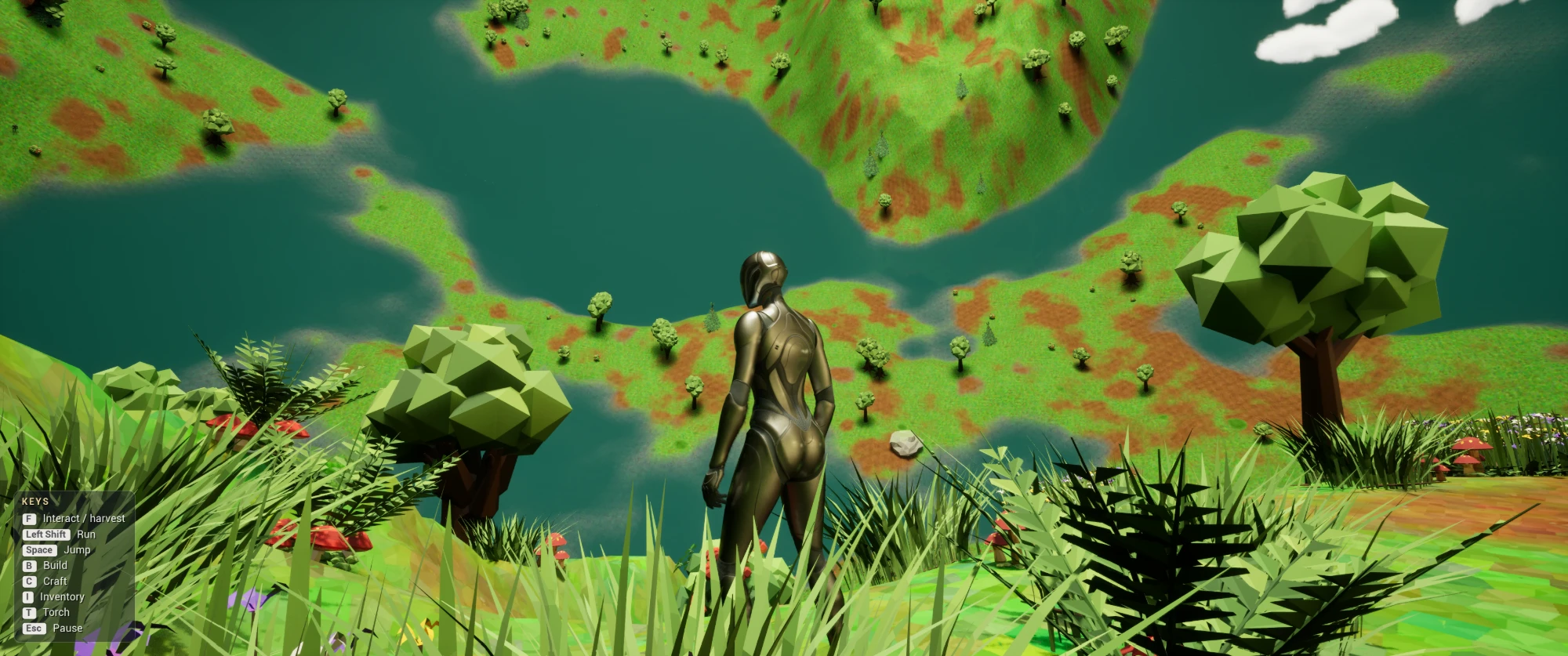
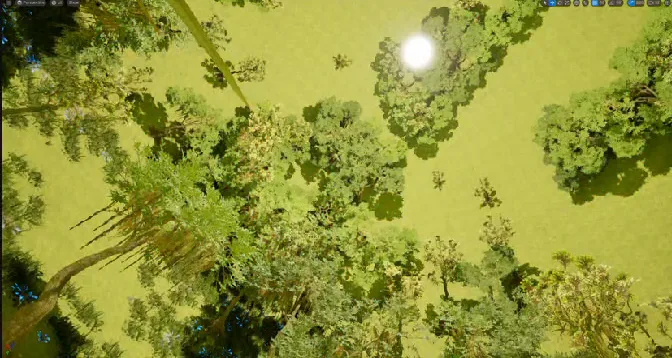
There is no sky. Look up and you see forests: the ones on the other side of the sphere.
- panel to set up and generate the biome, then tools to refine it
- 1panel to set up and generate the biome, then tools to refine it
- the golden angle that arranges the forest
- 137.5°the golden angle that arranges the forest
- tabs in the Dyson editor mode
- 7tabs in the Dyson editor mode
- real constellations in the night sky
- 88real constellations in the night sky
The images are development captures. Some test assets (including the character) are not part of the Dyson technology.
01The concept
A Dyson sphere: a planet like no other.
A Dyson sphere is a science-fiction idea: a giant shell, built around a star.
Dyson Framework puts you on its inner surface. The sun always shines at the centre.
There is no sky. Look up and you see forests: the ones on the other side of the sphere.
- 1The sun, always at the centre. It lights the whole sphere.
- 2You: feet on the shell, head towards the sun.
- 3Gravity pulls outward.
- 4Above you: the ground on the far side.
- 5Trees grow towards the centre.
The pitfalls of an inverted world
Standing a tree up straight on a curved wall, seen from the inside, is anything but simple.
“Up” changes everywhere
At every point, “up” points towards the centre. The usual world axes no longer apply.Gravity pulls outward
You walk on the shell, head towards the sun. Everything else has to follow.Everything starts from the centre
To find the ground, you start from the sun and go towards the shell. Not the other way round.No NavMesh
Unreal’s NavMesh doesn’t work on the sphere. The AI has to find its way differently.
Dyson Framework solves these problems for you. You choose your plants. The tool handles orientation, trace direction and distribution.
In our comparative research of October 2026, we found no tool taking this approach from the inside of a sphere: the planet generators we found work on the outer surface.
For which games?
Anywhere a closed, luminous, strange world makes sense.
- Exploration and survival
- Science fiction, megastructures
- Hollow and fantasy worlds
- Contemplative games
- Prototypes and cinematics
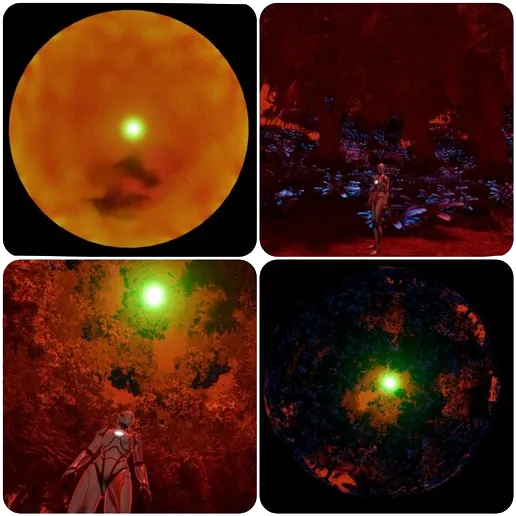
02The heart of the system
Phyllotaxis, the geometry of sunflowers.
Look at the heart of a sunflower or a pine cone. The seeds draw perfect spirals.
This is phyllotaxis: the way plants arrange their leaves and seeds.
The secret fits in one number: the golden angle, about 137.5°. Each seed turns by this angle from the previous one.
The result: the seeds never line up. No gaps, no clusters.
On a plane
Try it: change the angle. “Round” angles (120°, 135°, 144°) leave empty rays. The golden angle is the one that fills the space best.
One principle, two scales
- ◯
The planet
Trees cover the whole shell, with no gaps or clusters. A little randomness makes them look natural.
- ✳
The tree
Around each tree, the grass grows in organised tufts, like the heart of a sunflower.
Natural.
A touch of randomness breaks the regularity. For trees, this randomness follows the seed.Fast.
Each position is computed in a single step. No grid, no repeated draws.Seamless.
No empty areas or clusters at the poles, unlike a grid.Reproducible.
The biome’s seed drives everything: trees, grass, rocks, bushes. Same seed, same world, verified identical by a reference fingerprint (November 2026).
The principle is as old as plants. The exact method stays inside the product.
03Easy to use
Four steps. No programming.
Generating and tuning a world requires no programming: everything is done with settings files and a panel in the editor.
- 1
Create your elements
One settings file (Data Asset) per plant: mesh, minimum and maximum size, weight, trace shape.
- 2
Compose a biome
Put your elements in a list: trees, grass, rocks, bushes and free elements (animals, houses, campfires…).
- 3
Set up the planet
Sun, size, seed, quantities, terrain, weather, sky style. It all lives in a single “planet” file.
- 4
Click Generate
The biome appears. Clear erases everything. Then refine by hand with the Dyson mode tools: terrain, ground, vegetation, water.
In the editor: the empty shell, a click on Generate, then the forest. The settings panel is on the right (development version).
Generated in the editor
The foliage is saved with the map. When the game starts, there is nothing to compute.Grouped instances (HISM)
Copies of the same mesh are grouped together. Thousands of plants, drawn very fast.Blueprint and C++
The generation was designed in Blueprint by Cassiopée. Since November 2026, it has been moving step by step to C++ in the plugin, with the same formula. The tools, terrain, water and sky are already there.Density follows size
Make the world bigger: the number of elements adapts. A checkbox decides whether their size grows too.
Data-driven
A biome is a file. Change it, and everything changes.
Settings are organised on three levels. Each level is a reusable Data Asset.
Prepare a jungle, a forest in strange colours, a pink world… Switch from one to another by changing a single file.
Your settings stay separate from the logic. You can duplicate a biome, modify it, and keep the original.
Planet
PDA_Planet- Sun: colour, intensity, halo
- World size
- Biome seed
- Quantities per category
- Terrain, weather, sky style
Biome
PDA_SettingInstanceType- The list of the biome’s elements
- Example: a 17-element jungle
Element
PDA_InstanceType- Mesh and category
- Weight (relative share)
- Minimum and maximum size
- Trace shape: sphere, line or box
04The Dyson editor mode
Seven tabs. One tab, one job.
A dedicated editing mode opens with the map. Every tool knows that “up” points towards the sun.
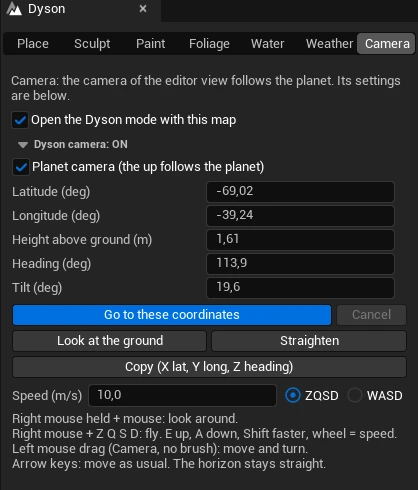
Camera
A camera aligned with the planet. You position yourself by latitude, longitude, height and heading.
Camera: built for the project, unlike the editor’s original camera. “Up” follows the planet everywhere; you position yourself by latitude, longitude, height and heading.
Place
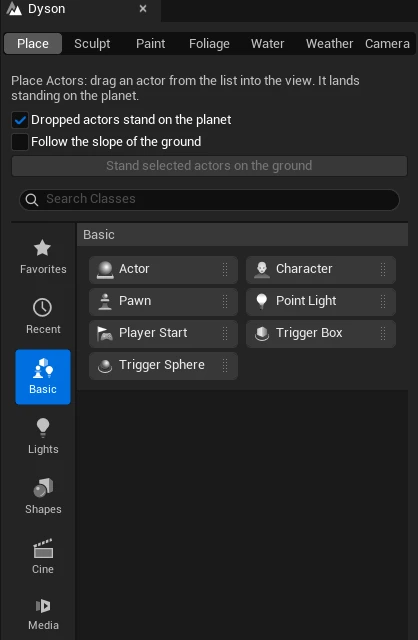
Place actors on the inner surface, standing straight on the shell.
Place: built for the project, unlike Unreal’s original “Place Actors”. An actor dragged into the view stands upright on the inner shell, the right way up.
Sculpt
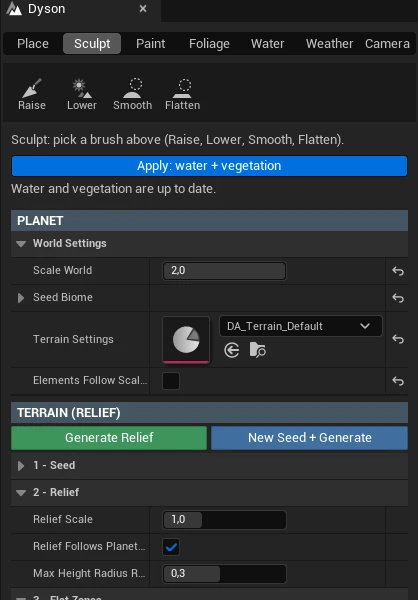
Raise, dig, flatten and smooth the terrain with a brush.
Sculpt: terrain brushes, planet size, Generate Relief.
Paint
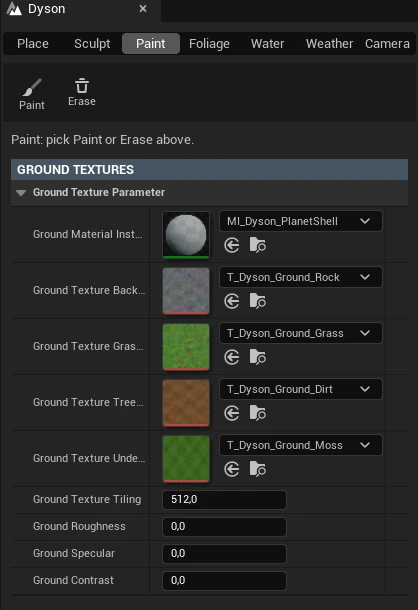
Paint the ground: grass, soil, rock.
Paint: paint the ground, choose its textures.
Foliage
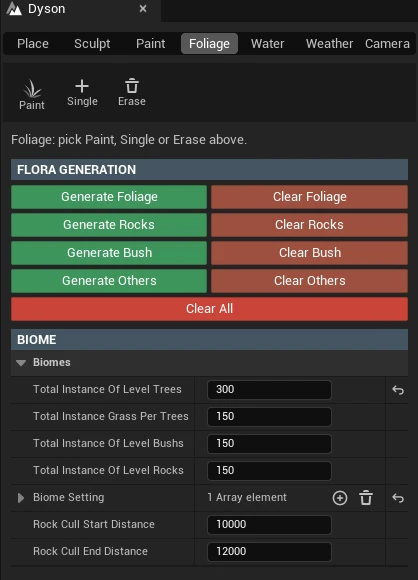
Add or erase vegetation by hand, after generation.
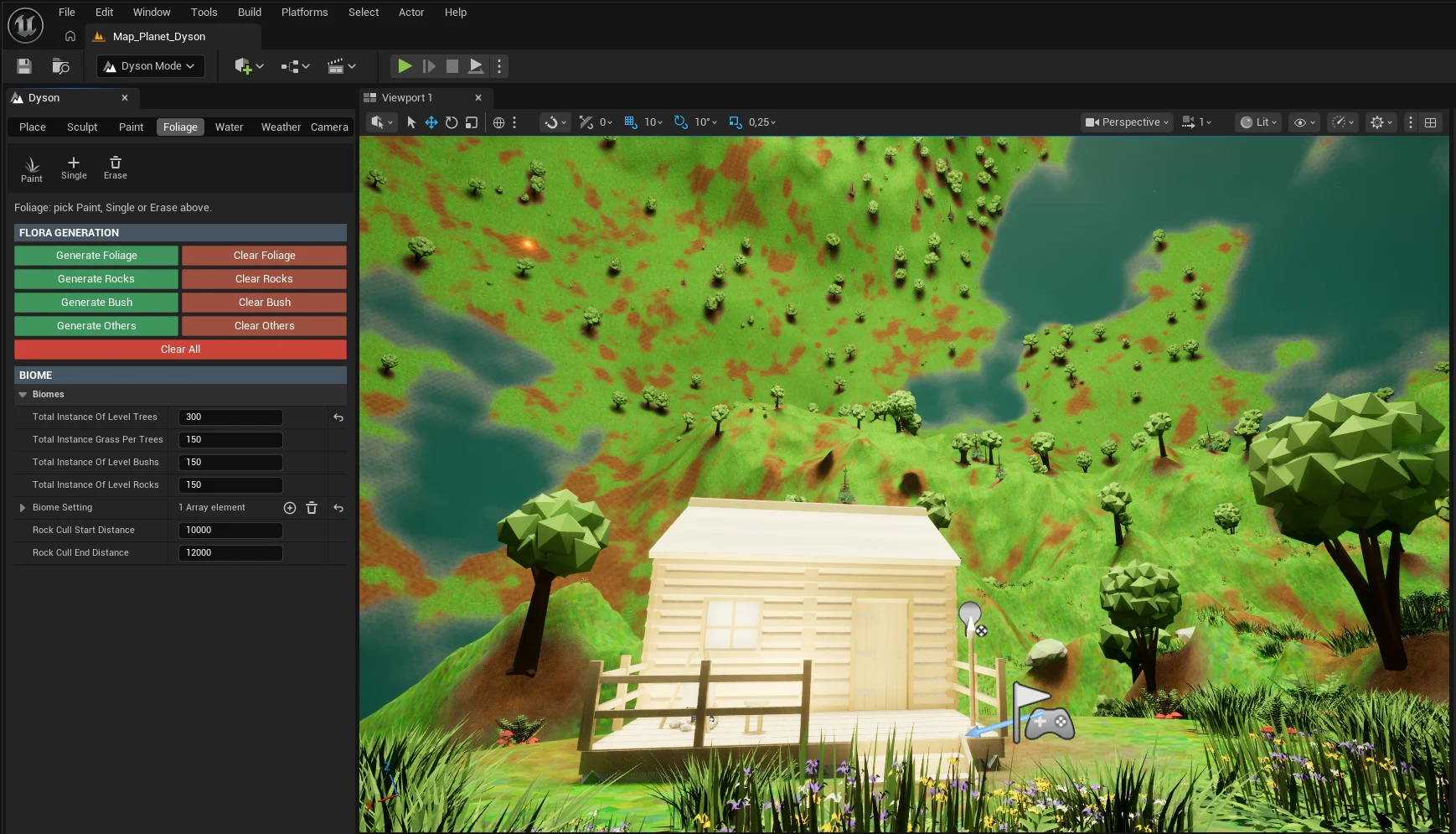
Foliage: generate or clear each layer, adjust the quantities.
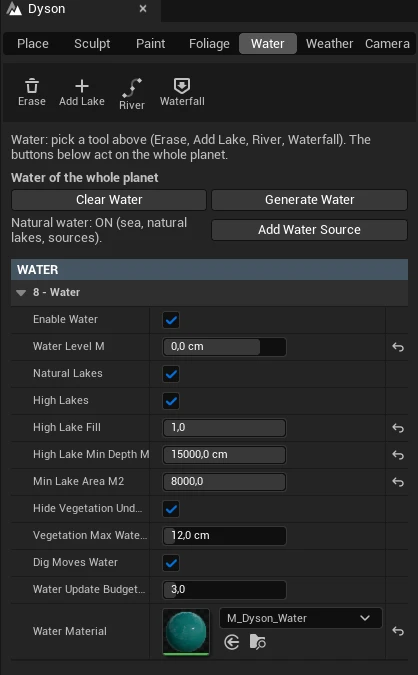
Water
Erase or add a lake, draw a river, place a waterfall, regenerate the water.
Water: lakes, rivers, waterfalls, water for the whole planet.
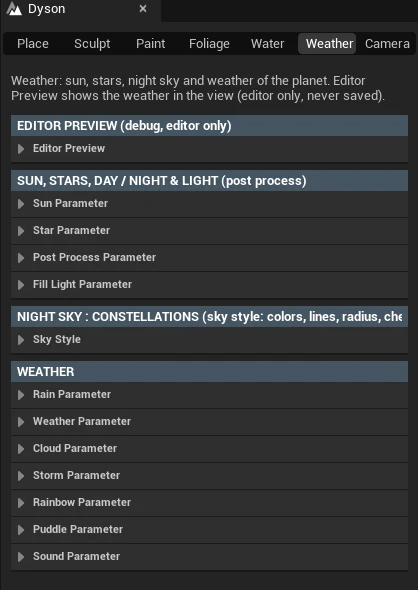
Weather
See the weather and the night right in the editor, without launching the game.
Weather: weather preview in the editor, sun, stars.
The whole plugin is designed for the Dyson concept. Every tool knows that “up” points towards the sun, whereas Unreal’s original tools are made for a flat world.
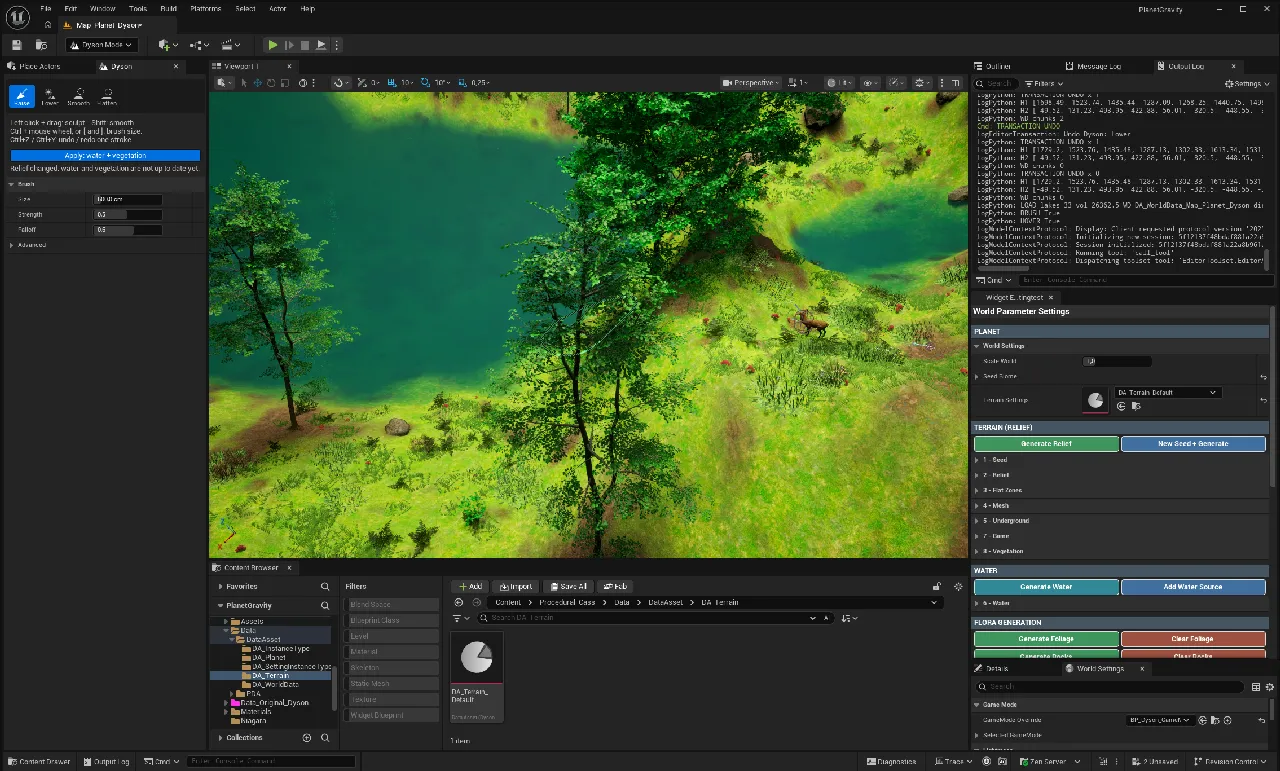
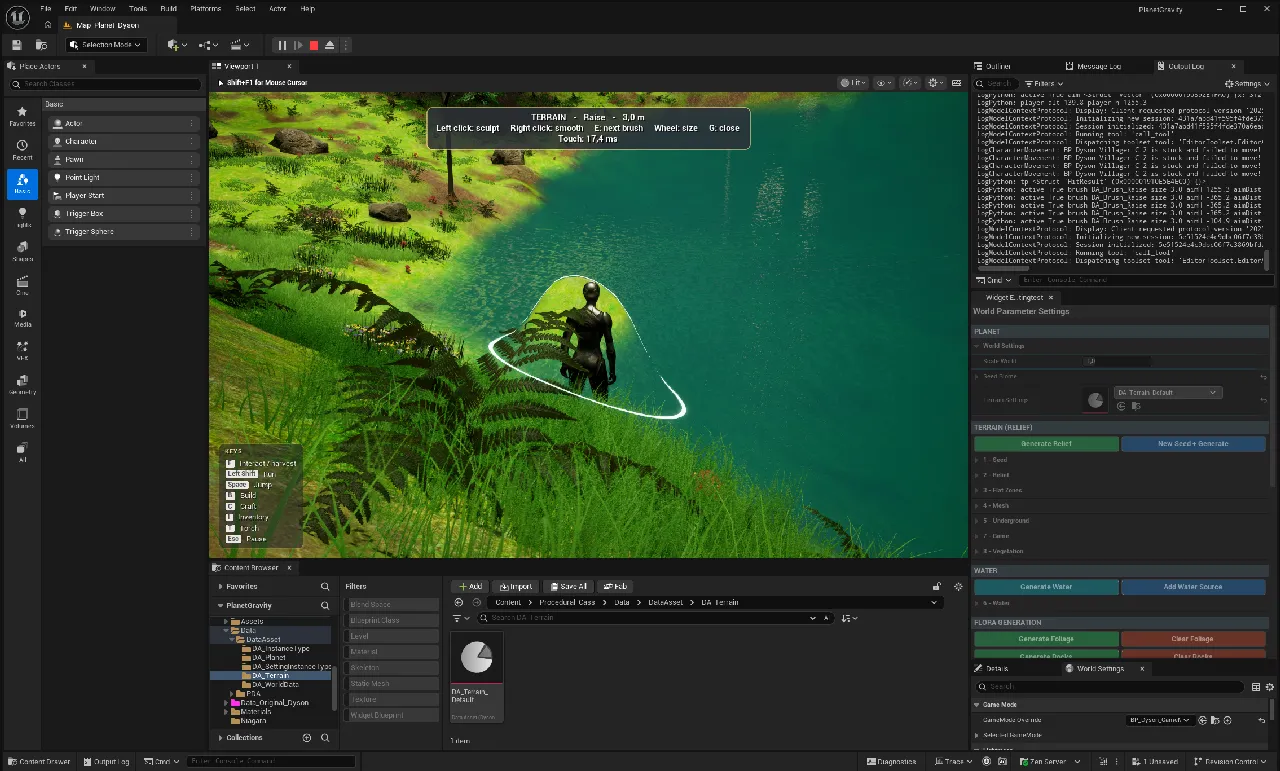
Terrain and water are home-made. Mountains, valleys, deep rock, sea, lakes, springs: water flows when you dig, with waves and an underwater view.
The planet’s settings panel is built into the Dyson mode: settings, Generate and Clear in one place.
Terrain generation in the editor, with the Dyson mode: the terrain, the water, then the world seen in game.
The panel today: the plugin’s tabs
The old panel’s settings now live in the Dyson mode tabs. Each tab has its explanation at the top, and its buttons in the same place. Captures of the TP_Dyson template project, November 17, 2026.
05Architecture
One integrated plugin, building blocks to choose from.
Dyson combines an Unreal plugin (tools, terrain, water, sky) with the planet generation Blueprint. Each block can be used or not.
A single panel
The planet’s settings panel is built into the Dyson mode: settings, generation and tools in one place.A camera designed for the sphere
The editor camera keeps “up” towards the sun everywhere, without the usual rotation locks (gimbal), with latitude, longitude, height and heading.Optional building blocks
Terrain can be switched off with a checkbox. A planet can stay without water. In-game sculpting is a component you add to the player, or not.Your assets instead of ours
The template project ships with a low poly biome: just replace these assets with your own in the Data Assets.
Example configurations
A studio picks only what its game needs. These combinations are examples, not separate packages.
- Contemplative world
- Generation, vegetation, weather, sky
- Exploration
- Terrain, water, vegetation, weather
- Survival
- Everything, with the player, harvesting, building, inhabitants and saving
Already verified: the plugin and the generation Blueprint were installed together in a new project, the TP_Dyson template project. It compiles, the planet generates identically, and the packaged game works (November 14, 2026).
In progress: the plugin doesn’t work on its own yet, without the generation Blueprint. The C++ conversion below is there to make it installable on its own, then to test it in a completely empty project.
06Update of November 17, 2026 · Plugin and C++
From Blueprint to C++: the same world, bit for bit.
Since November 16, 2026, the planet generation has been moving step by step from Blueprint to C++, inside the Dyson plugin. Two goals: a plugin that installs on its own in any Unreal project, and bigger planets.
The formula doesn’t change
The Fibonacci sphere, the Vogel spiral and the tree formula are Cassiopée’s. The C++ reproduces her calculations exactly: only the loops and the architecture change.Proof at every step
A fingerprint compares every instance (position, rotation, size) before and after: 181,502 instances, including 1,200 trees. A step is only validated if the world is identical bit for bit.A switch
A setting chooses the engine: C++ or Blueprint. C++ has been the default since November 16. The Blueprint path remains available for comparison.Towards a standalone plugin
In the end, the planet will be a C++ actor of the plugin. No more Blueprint needed in the scene: install the plugin, place the planet, generate.
What is already in C++
The four main placement loops and the cleanup. Each one produced exactly the same planet again.
- Trees and grass11.6 s → 6.4 s
identical bit for bit
- Rocks and bushes4.4 s → 4.2 s
identical to the reference
- Free elements189 actors
houses, animals, campfires: all in the same place
- Full generation18.9 s → 13.0 s
about 31% faster
- Opening the map0 loop errors
a Blueprint “loop too long” error has disappeared
Internal measurements of November 16, 2026, on our test PC, TP_Dyson template project, Unreal Engine 5.8, 100 m planet. Two known tree placement bugs were also fixed, in both engines.
The conversion steps
Eight steps, each with its proof. Nothing is “done” without it.
- N0Done
Placement loops in C++, two fixes, map opening handled by the plugin.
- N1In progress
Ground mask in C++ (about 6 s of the remaining 13 s). The image fingerprint is ready.
- N2Planned
The rest of the generation: clearing, regrowing, collisions.
- N3Planned
Settings files in C++ (Data Assets), without changing their values.
- N4Planned
The planet becomes a C++ actor of the plugin.
- N5Planned
Size, sun, day and night, rain in C++.
- N6Planned
No more regeneration when the map opens.
- N7Planned
Final test: the plugin alone in an empty project, installation, compilation, generation, packaged game.
Why it matters: a standalone plugin can serve other projects and other studios. C++ also paves the way for large planets (targets: scale 3, then 5, then 10), each size validated by a measurement on our test PC.
Then, on this basis: zones (desert, fields, forest, town) on a single planet, and an adjustable instance budget. These steps are designed, not yet built.
07Moods
One sun, a thousand lights.
Sun colour, light colour, intensity, halo: everything is set in the panel. Day and night settings already exist.

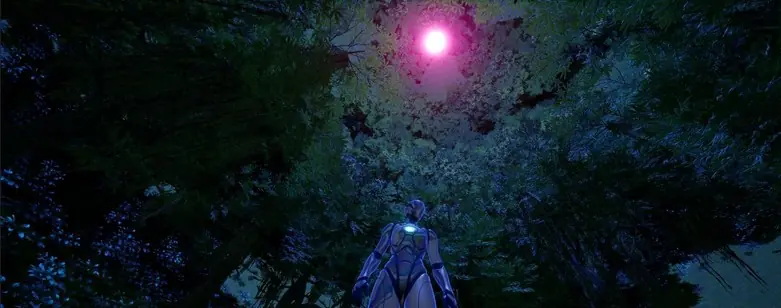
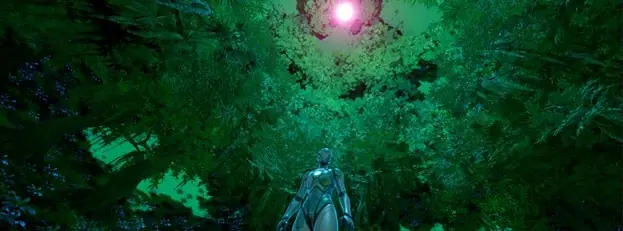
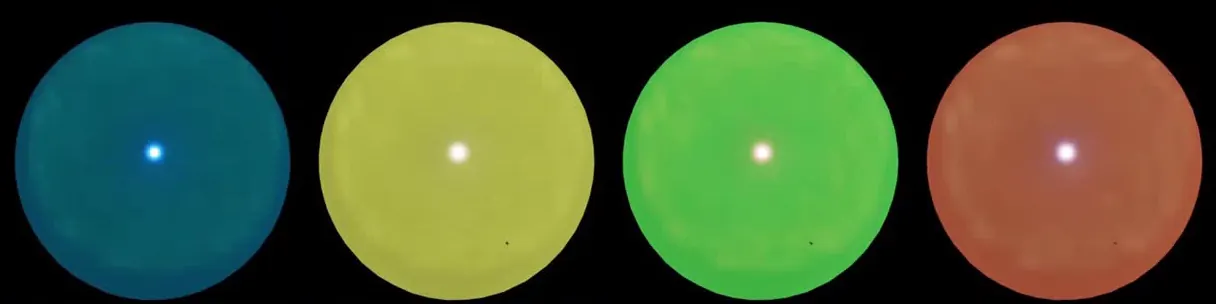
From the panel to the game
Change the colours, generate, then step into the world. It all happens in the editor, in a few clicks.
This video shows the old panel, made in Blueprint (October 2026). This panel is now built into the plugin: it is spread across the Dyson editor mode tabs, one tab per job.
Edited by Cassiopée, with sound.
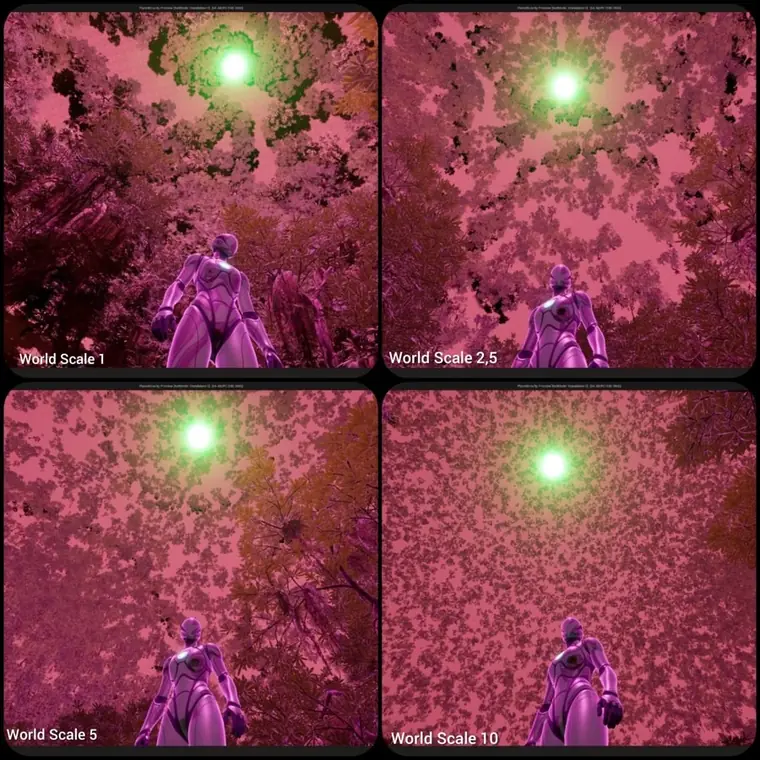
08World scale
A single setting changes the size of the sphere. The number of trees adapts to the surface.
A 200 m planet (scale 2) has been tested: actors follow the ground, weather and deep rock adapt. To go bigger, placement is moving to C++ (started on November 16, 2026), with exactly the same calculations, verified by the reference fingerprint.
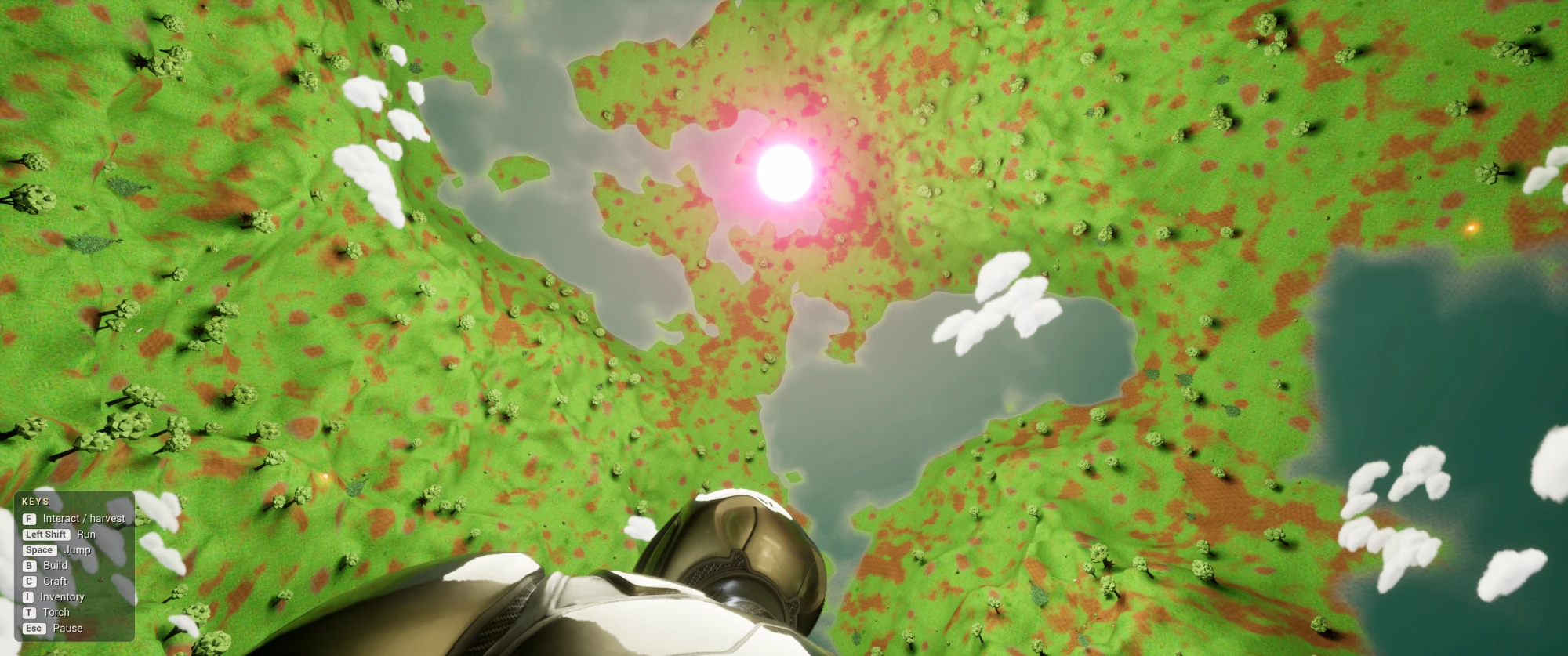
In the packaged game
The TP_Dyson template project was packaged as a Windows game on November 14, 2026: painted ground, terrain, lakes, clouds, sun, interface.
Performance
Designed to stay light.
Why a home-made method? A test with Unreal’s PCG (UE 5.4) ran at 3 to 5 frames per second, on the same machine. The current method holds at least 30 frames per second.
A deliberate choice. The trees on the other side stay visible. Without them, the “sky” would be empty.
Smoothness comes from levels of detail (LOD), virtual shadows tuned for the central sun, and inhabitants sleeping when far from the player.
- Test PC
- Intel i7-4790K16 GB DDR3 · RTX 3060 12 GB
- Full generation
- 13 secondsMeasured on November 16, 2026, at scale 1, with the C++ engine (18.9 s with Blueprint alone). October 2026: 10 to 15 s, with fewer elements.
- Smoothness
- 30 fps minimumMeasured in October 2026, in the editor. Packaged game of November 10 (working project, not yet the template project): about 21.5 ms per frame, i.e. about 46 fps.
- Nanite
- Depending on your assetsThe project will be compatible with Unreal’s latest technologies.
- When the game starts
- No computationThe foliage is already in the map
Internal measurements, made on our test PC: this is not yet an independent benchmark. A complete test sheet is planned (engine version, resolution, graphics settings, number of instances, scene, average and minimum). Results depend on your machine and on your biome’s assets.
09Beyond vegetation
An inverted world that lives.
Rain, night, the player, the inhabitants: everything follows the sphere. These systems work in the template project.
Weather, day and night
Working10 weather types: mist, showers, storms… Rain falls from the sun, lightning strikes the real ground. Night falls without moving the sun.
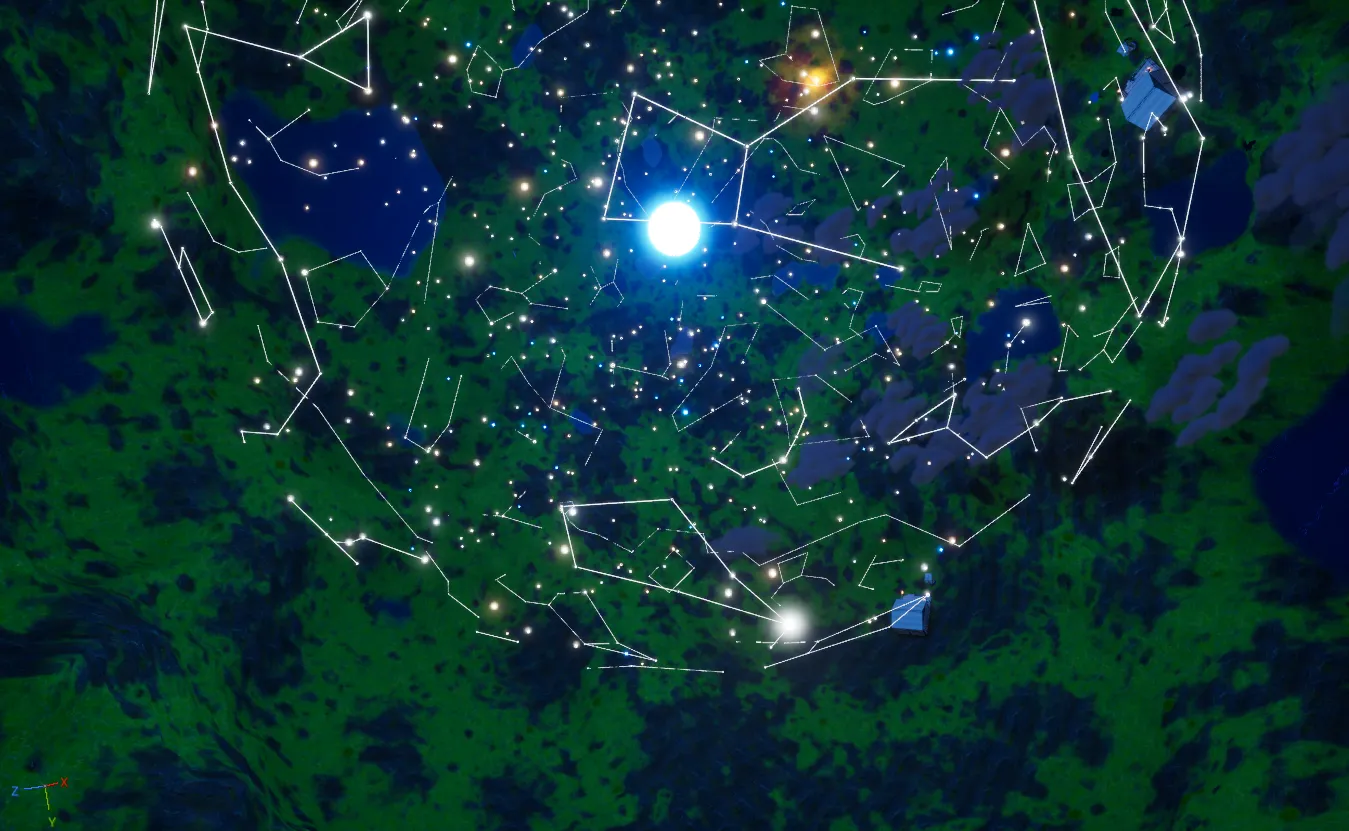
88 constellations
WorkingThe night sky shows the 88 real constellations, each one can be switched on. The star data comes from public sources, credited.
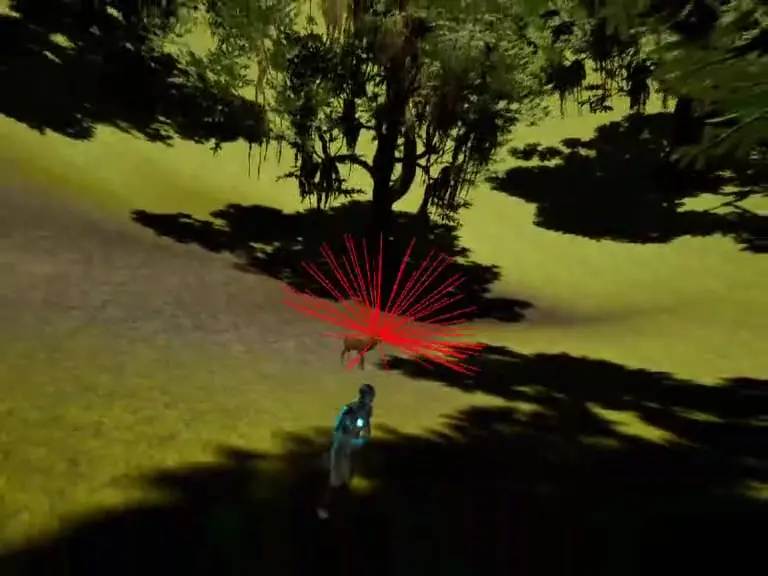
Inhabitants without NavMesh
WorkingVillagers with activities and a home, deer, rabbits, birds, ducks, fish, butterflies. They find their way with rays, like a LiDAR, and go and drink.
Player and survival
WorkingWalk on the shell, sculpt the ground in game, harvest, craft (tools as Data Assets), build with 42 pieces, draw water. The game saves and resumes where you left off.
Weather and the day-night cycle: clouds, the far side, then the night and its constellations.
A mini game system, already there
The template project contains a complete game loop, from the menu to saving.
- 01
Explore
Walk on the shell, swim, head always towards the sun.
- 02
Harvest
Chop trees, gather, draw water from the well. Tools are Data Assets.
- 03
Craft and build
Crafting recipes, then 42 building pieces: walls, roofs, doors, furniture.
- 04
Save and resume
The game resumes where you left off: inventory, position, buildings, time and weather.
What is saved
- Player inventory · resources and tools
- Player position
- Buildings · every piece placed, in its place
- Time of day and current weather
When
- Autosave
- every 2 minutes and from the pause menu, before returning to the menu or quitting
- Menus
- New game, Load, Pause, main menu over a live view of the biome, loading screen, key and volume settings
10Gallery
What already exists, capture by capture.
All these images come from the project in development, between November 2 and 14, 2026.
Sky and weather
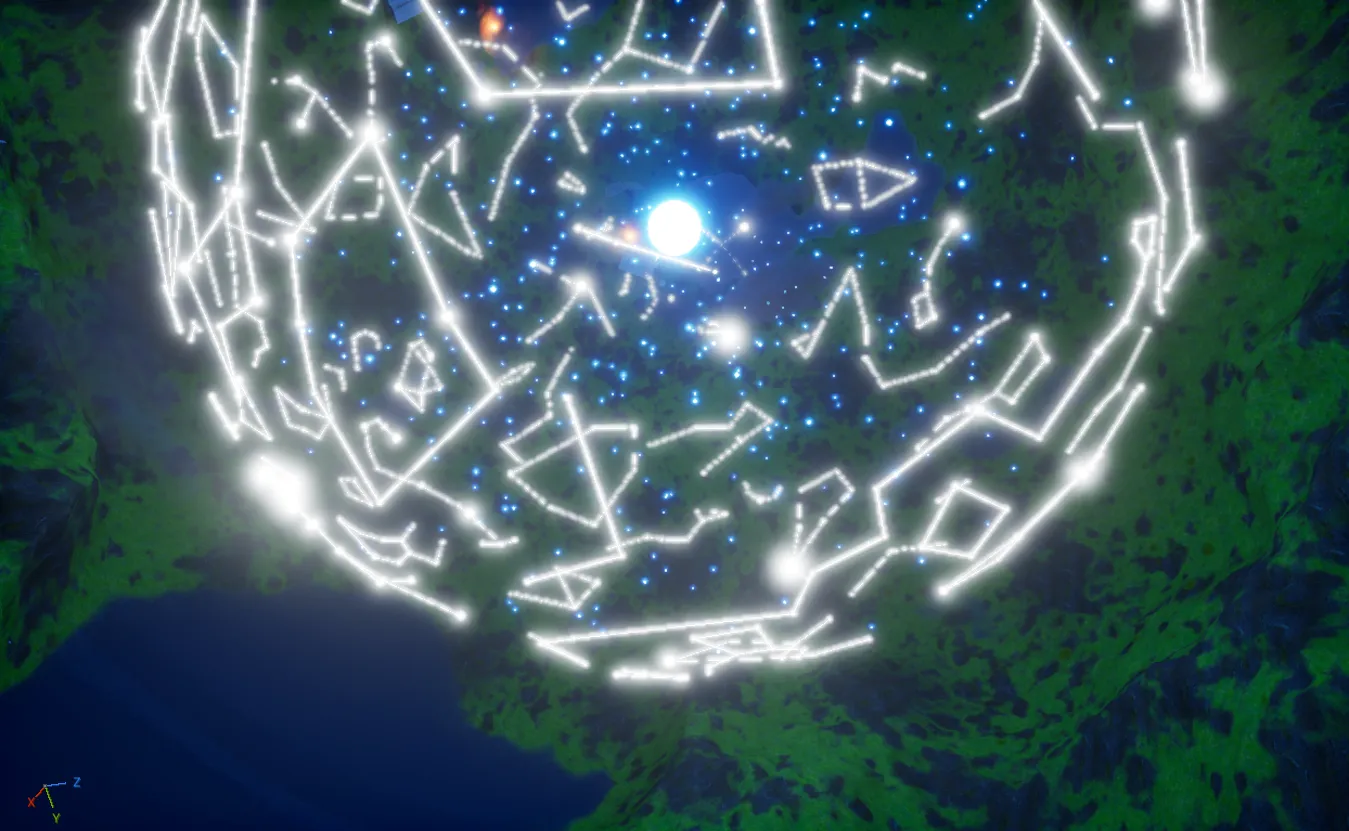
The 88 constellations displayed together. 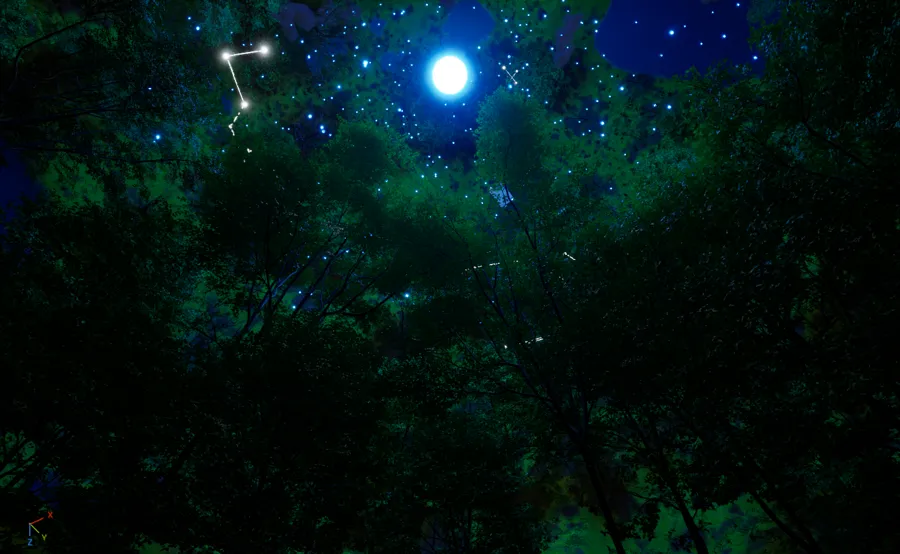
A constellation above the forest. 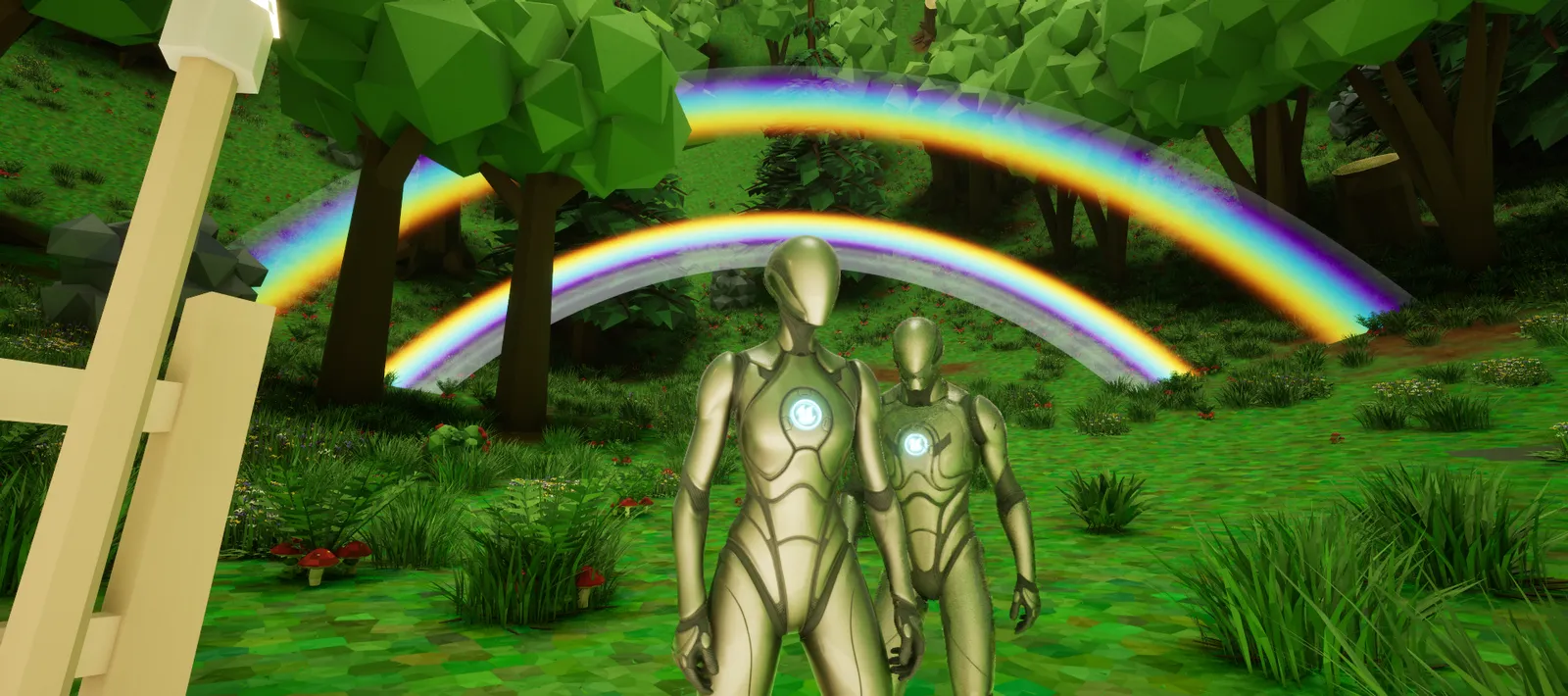
Rainbow after the rain, with its secondary arc. 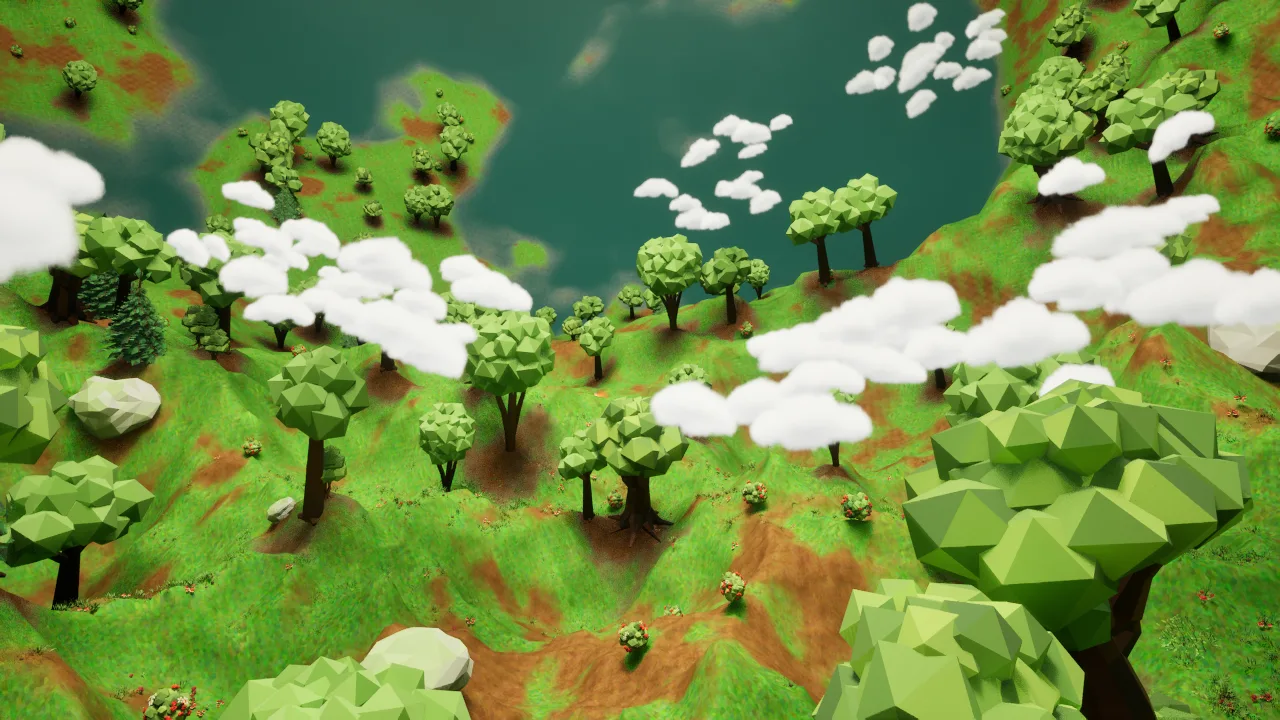
The new clouds, on a planet twice as big. 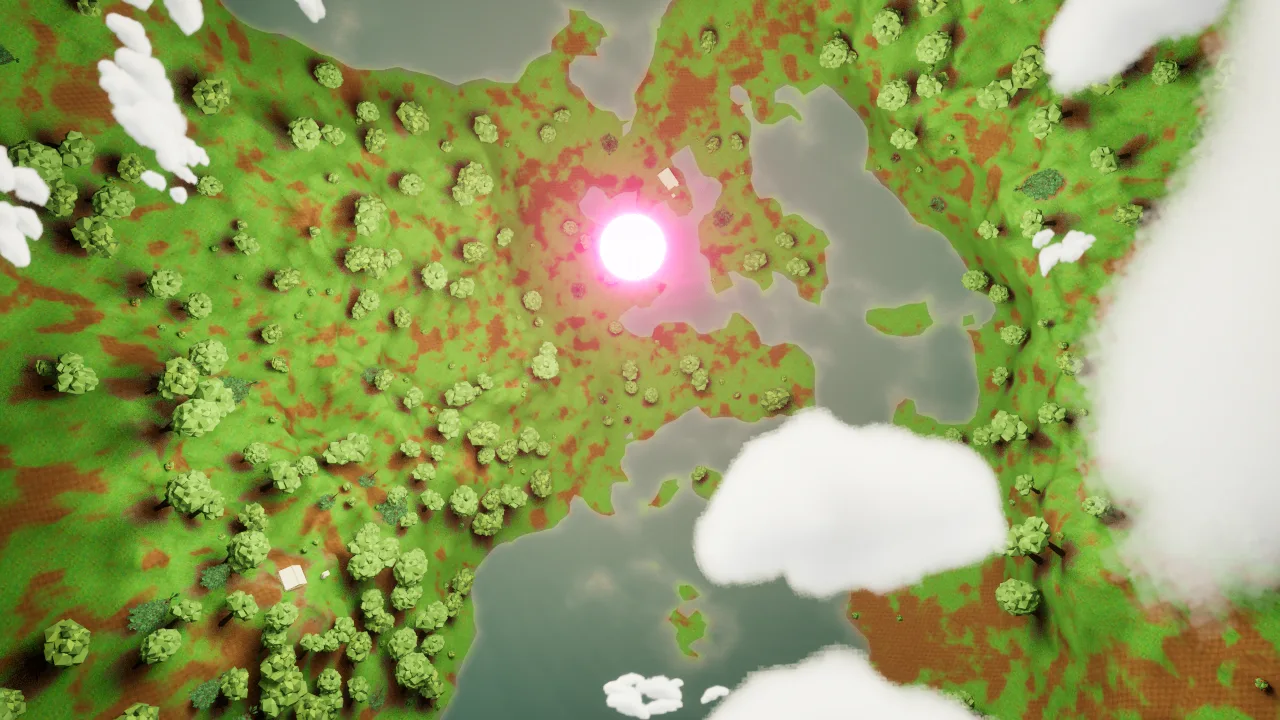
Towards the sun: the clouds and the far side. 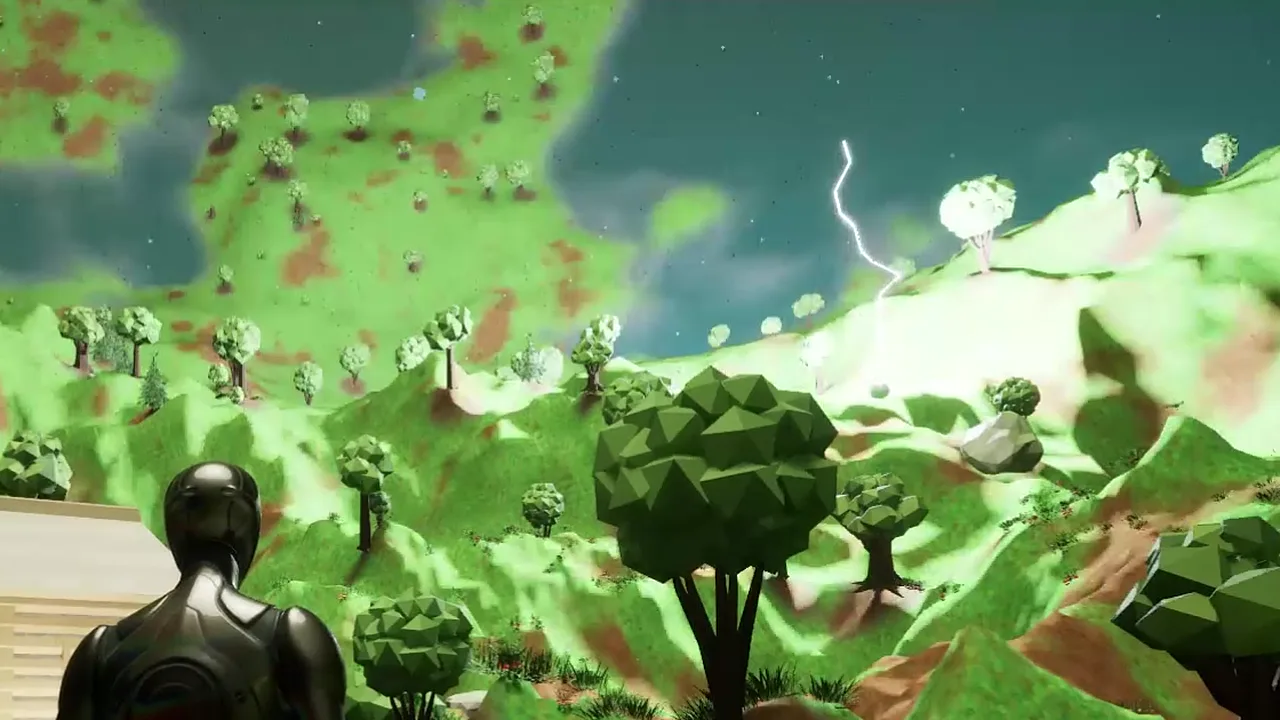
The lightning comes down to the real ground.
Day, dusk, night
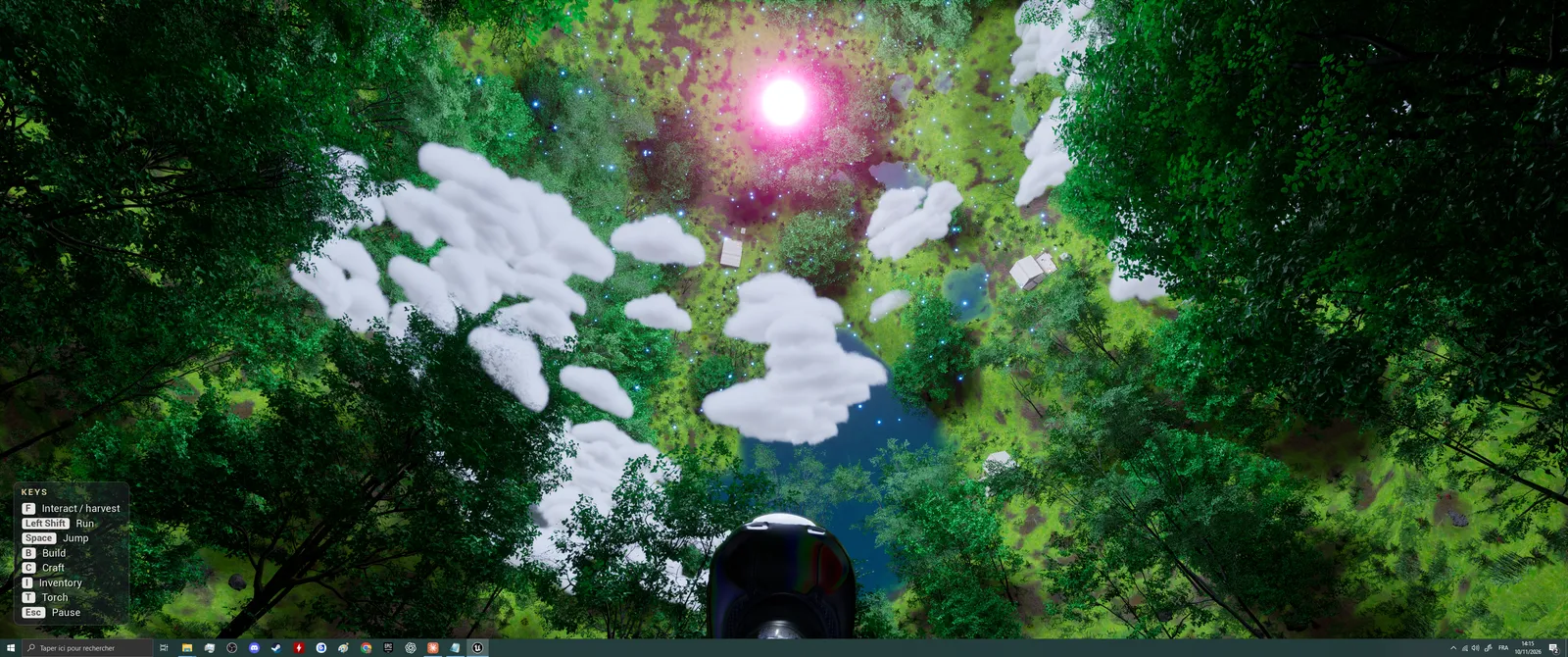
Day. 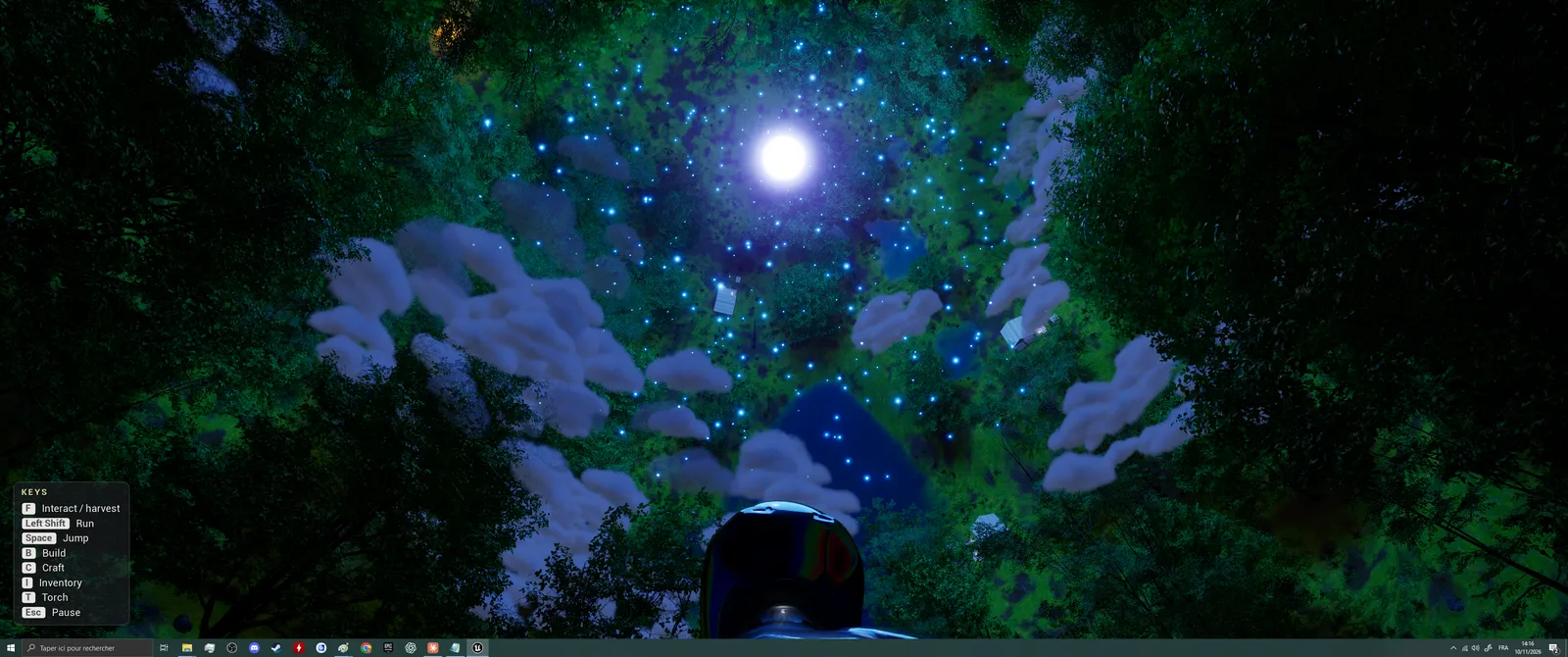
The light fades, without moving the sun. 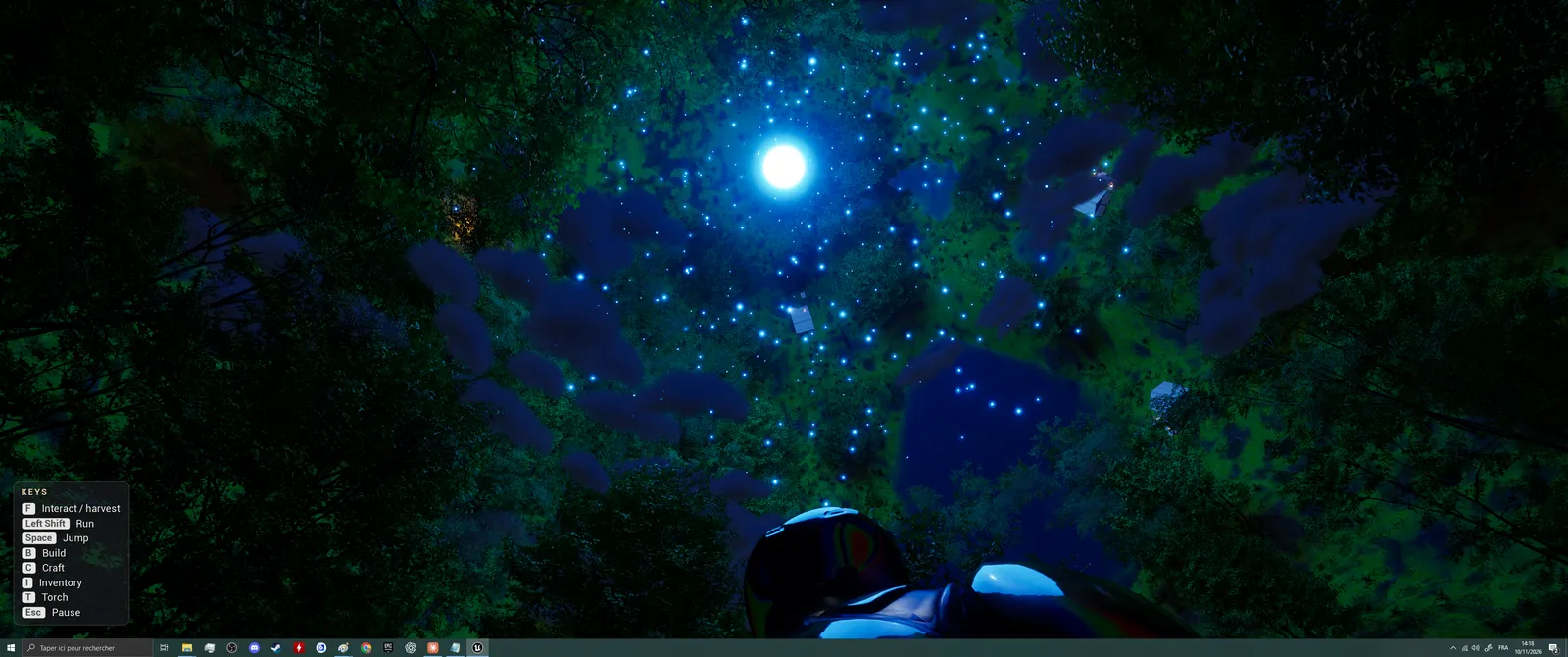
Starry night.
Terrain and water
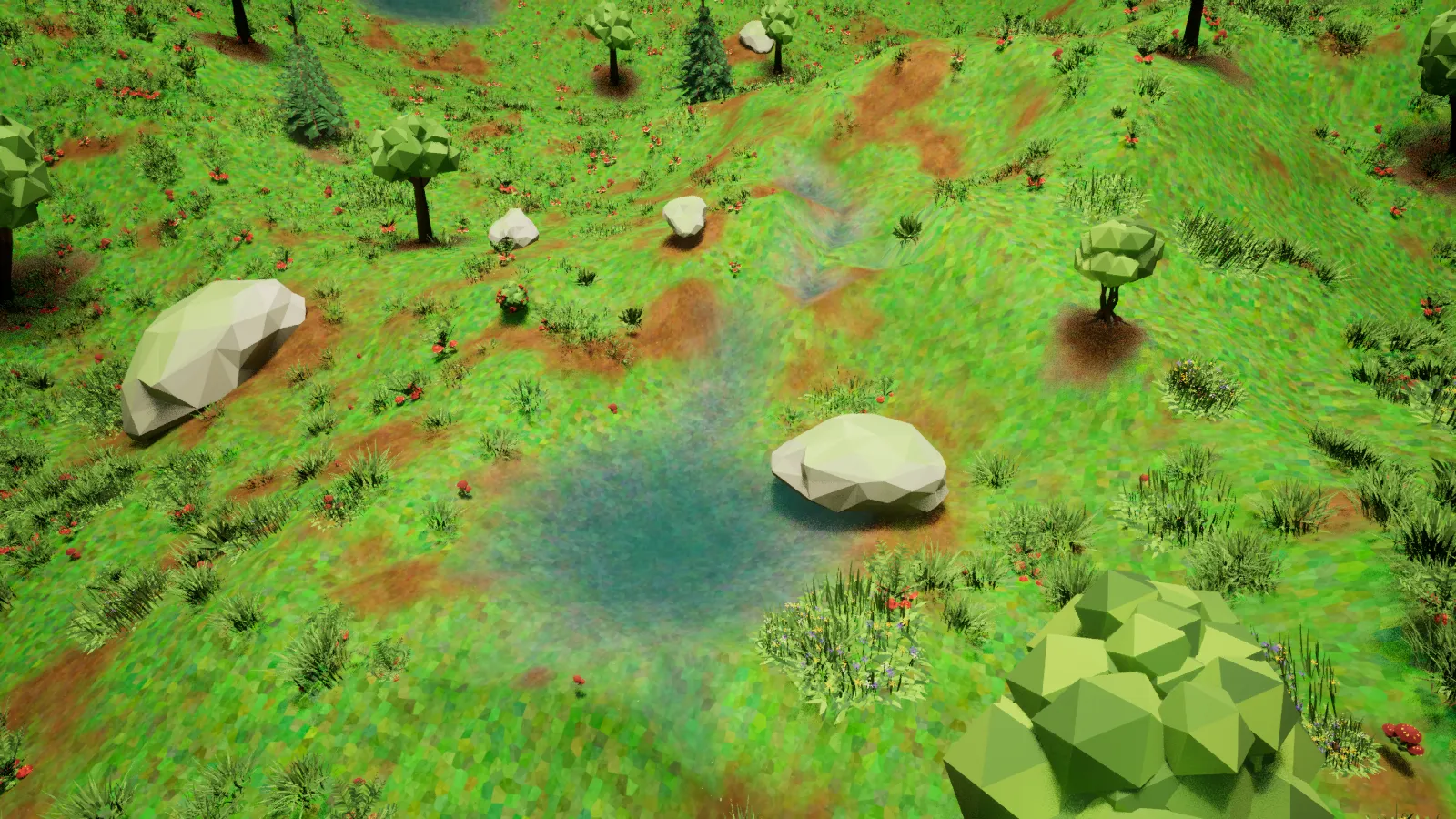
Lake and river placed with the Water tab. 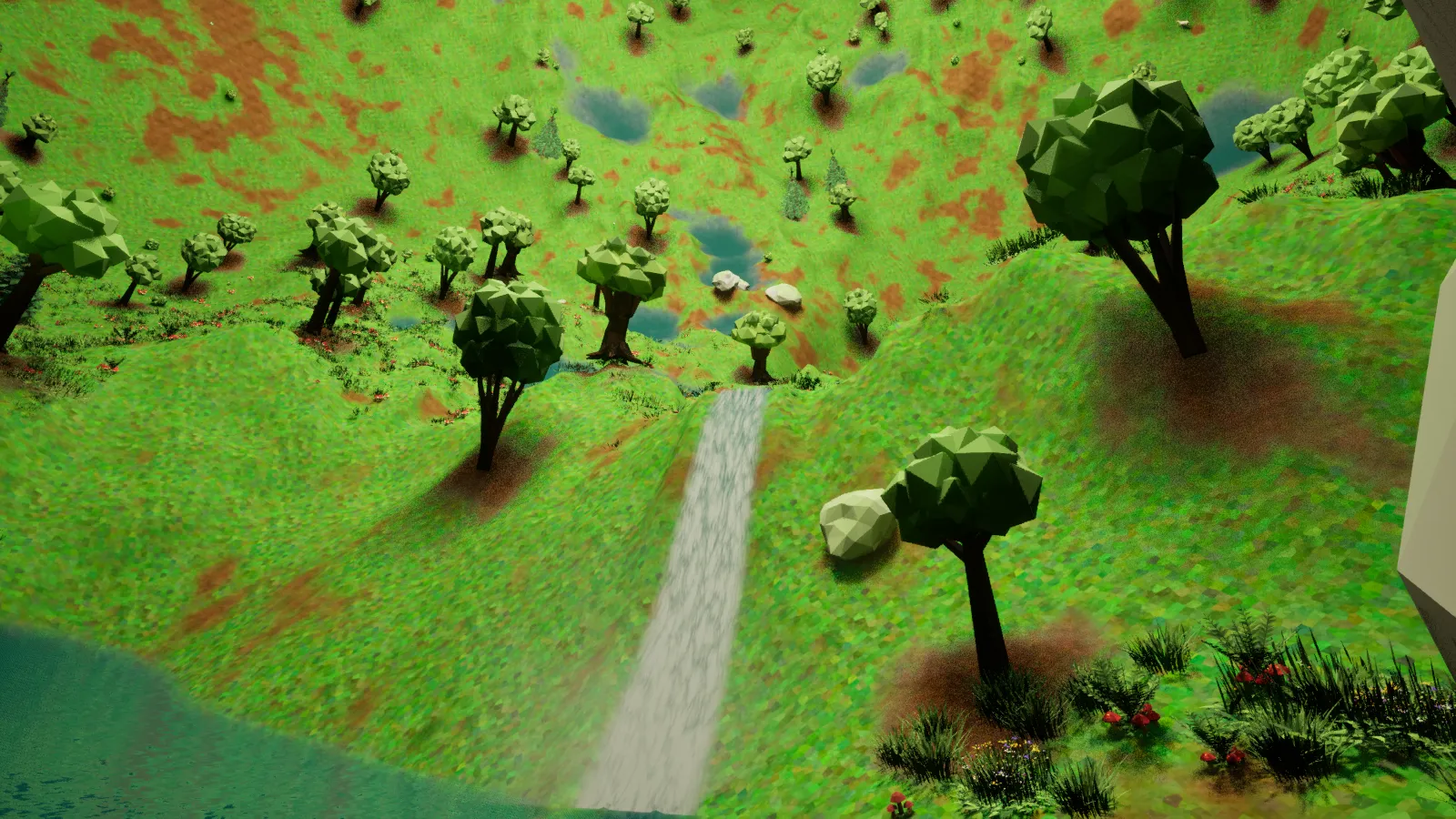
Waterfall, seen from below. 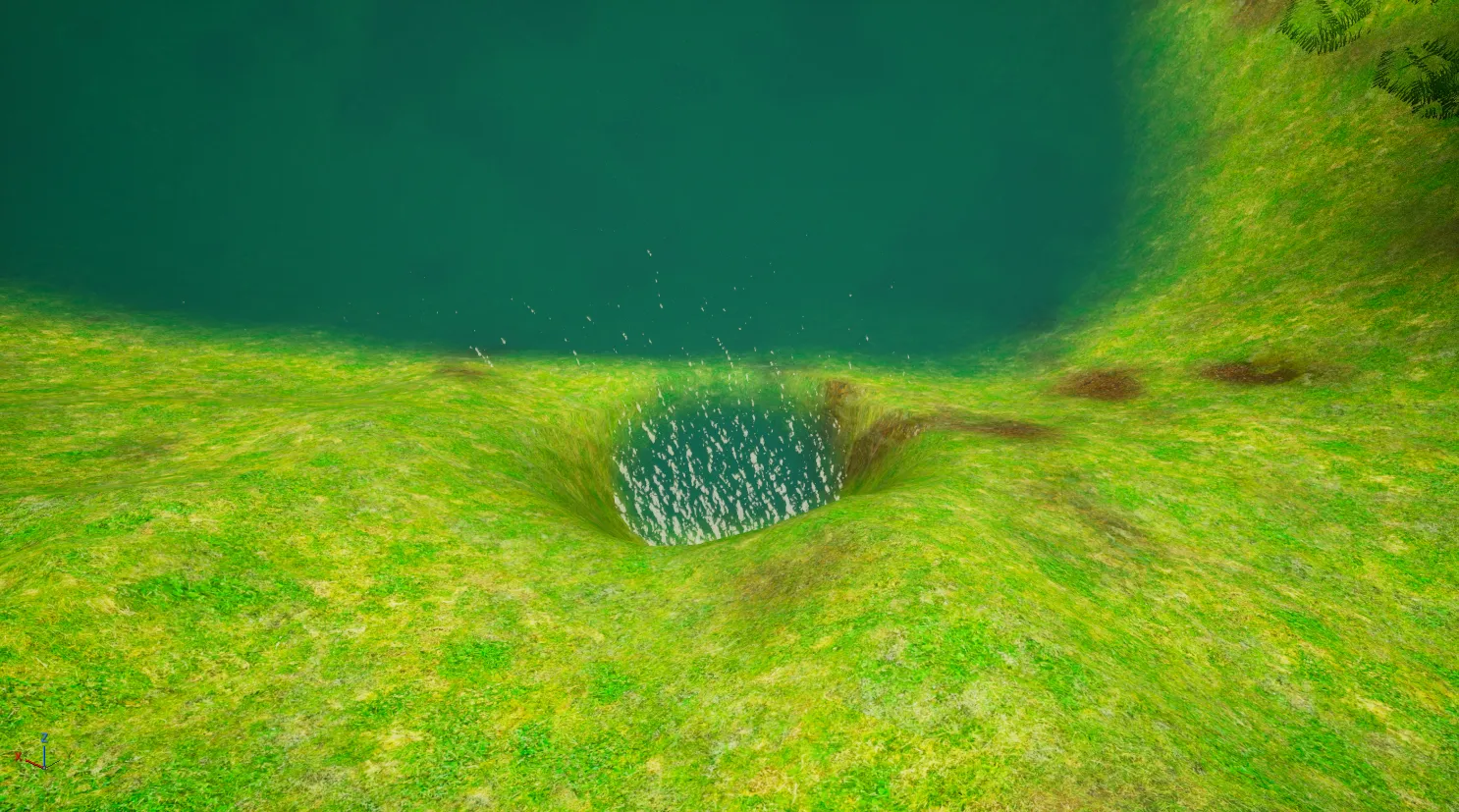
Digging near a lake: the hole fills up. 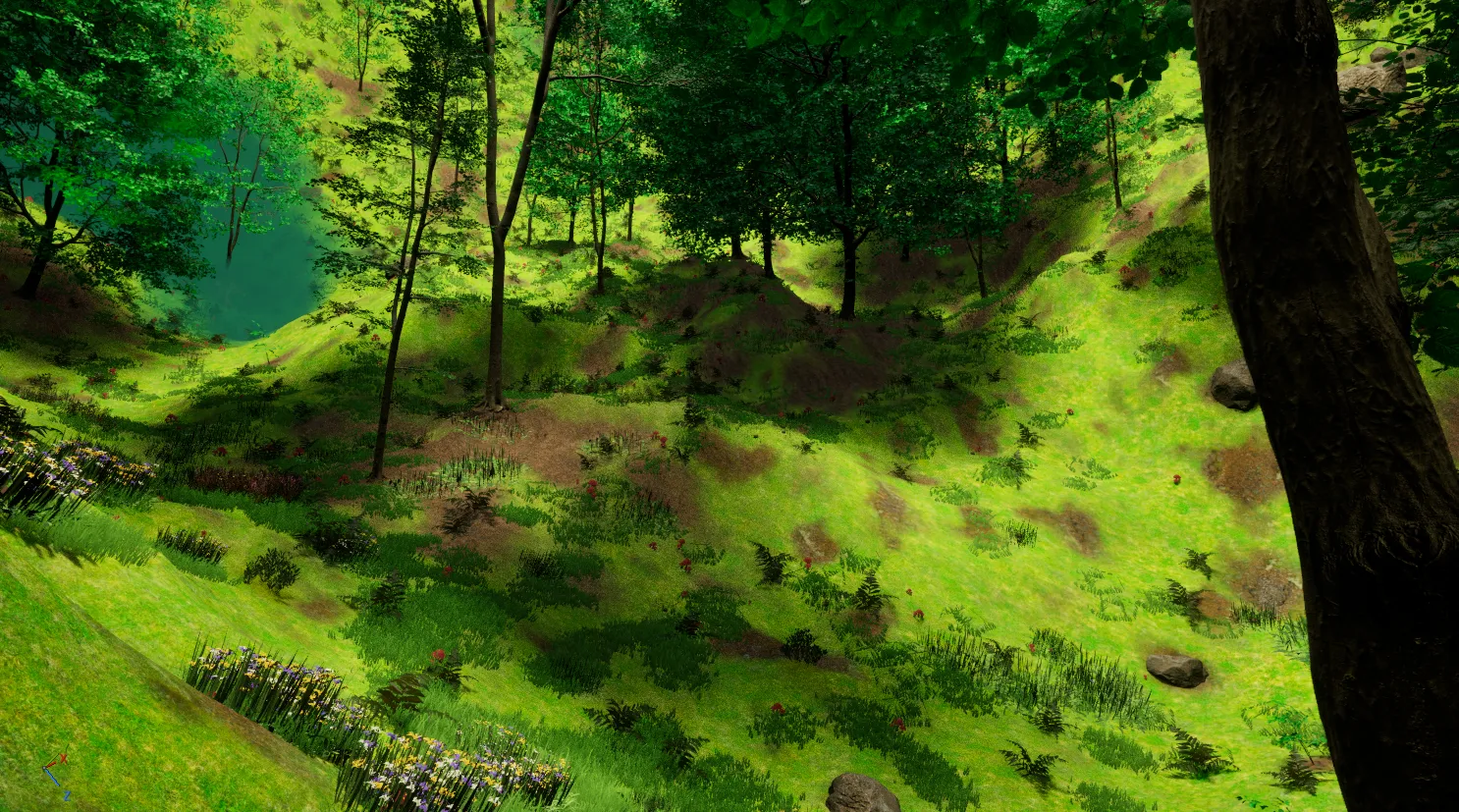
A lake seen from the ground. 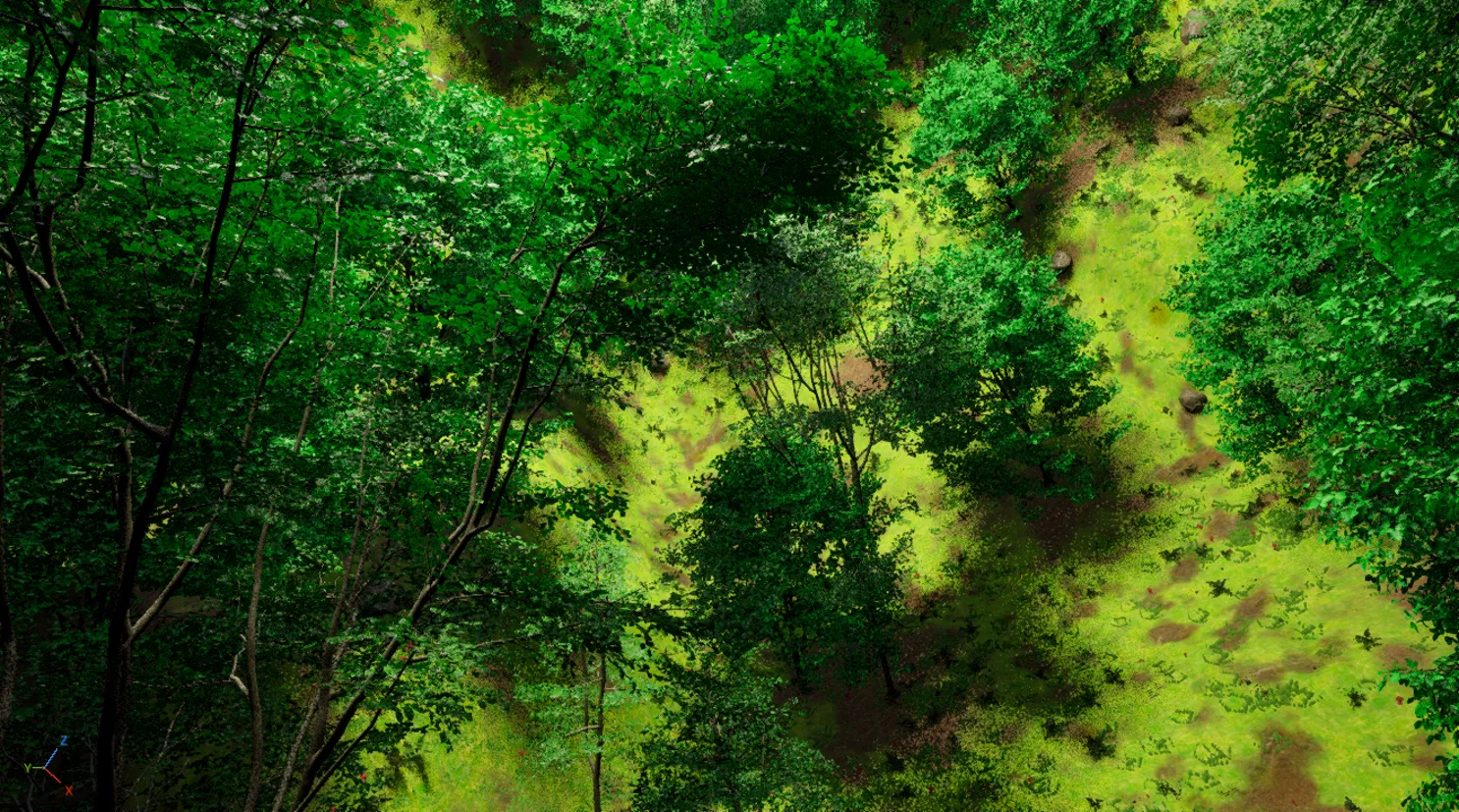
The forest follows the terrain, with slope rules per layer.
The game
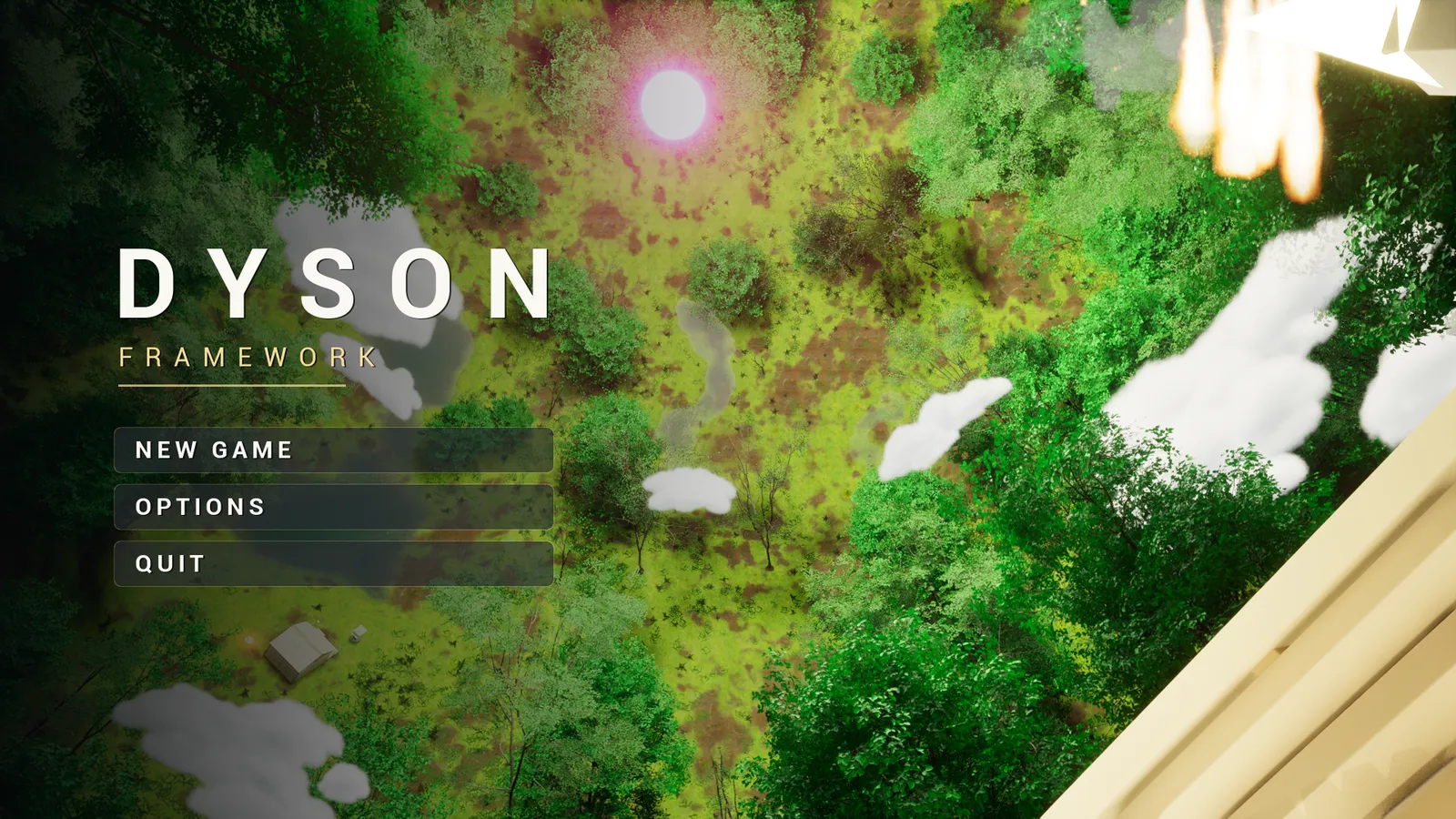
Main menu over a live camera, in the packaged game. 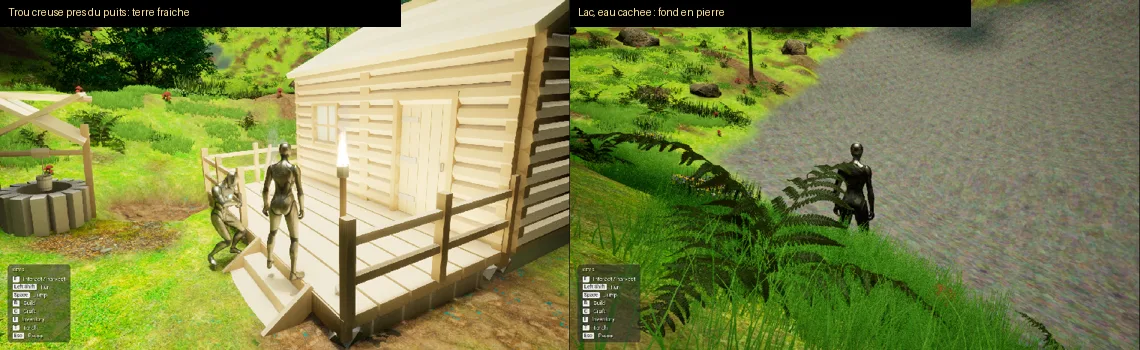
In-game sculpting: fresh soil near the well, a stone lake bed. 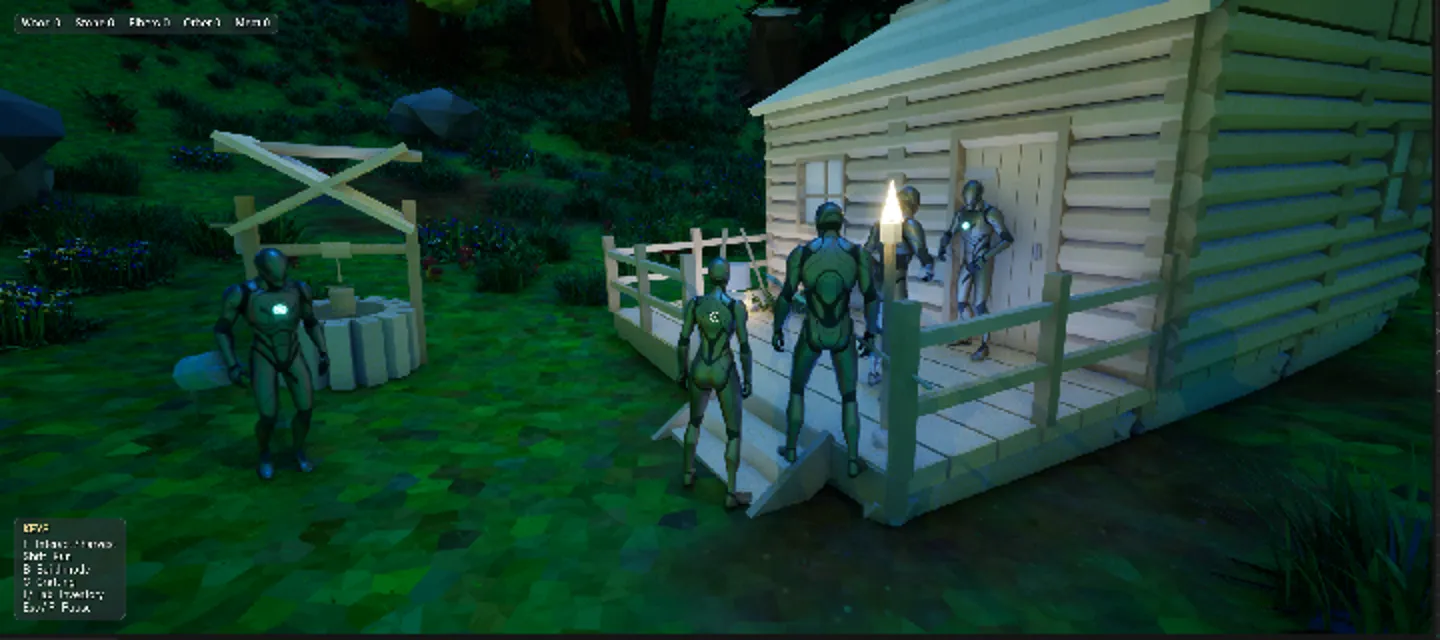
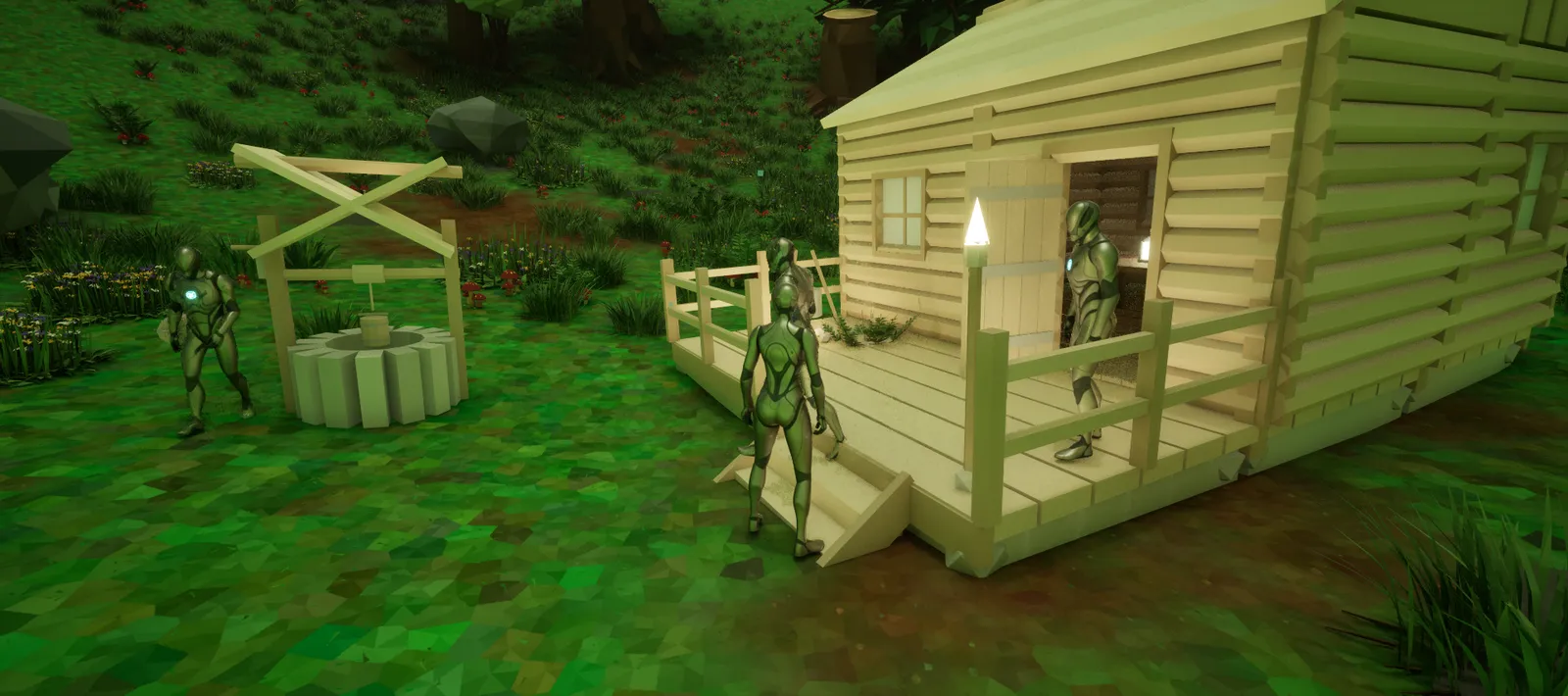
In-game interface, villagers in front of their house. 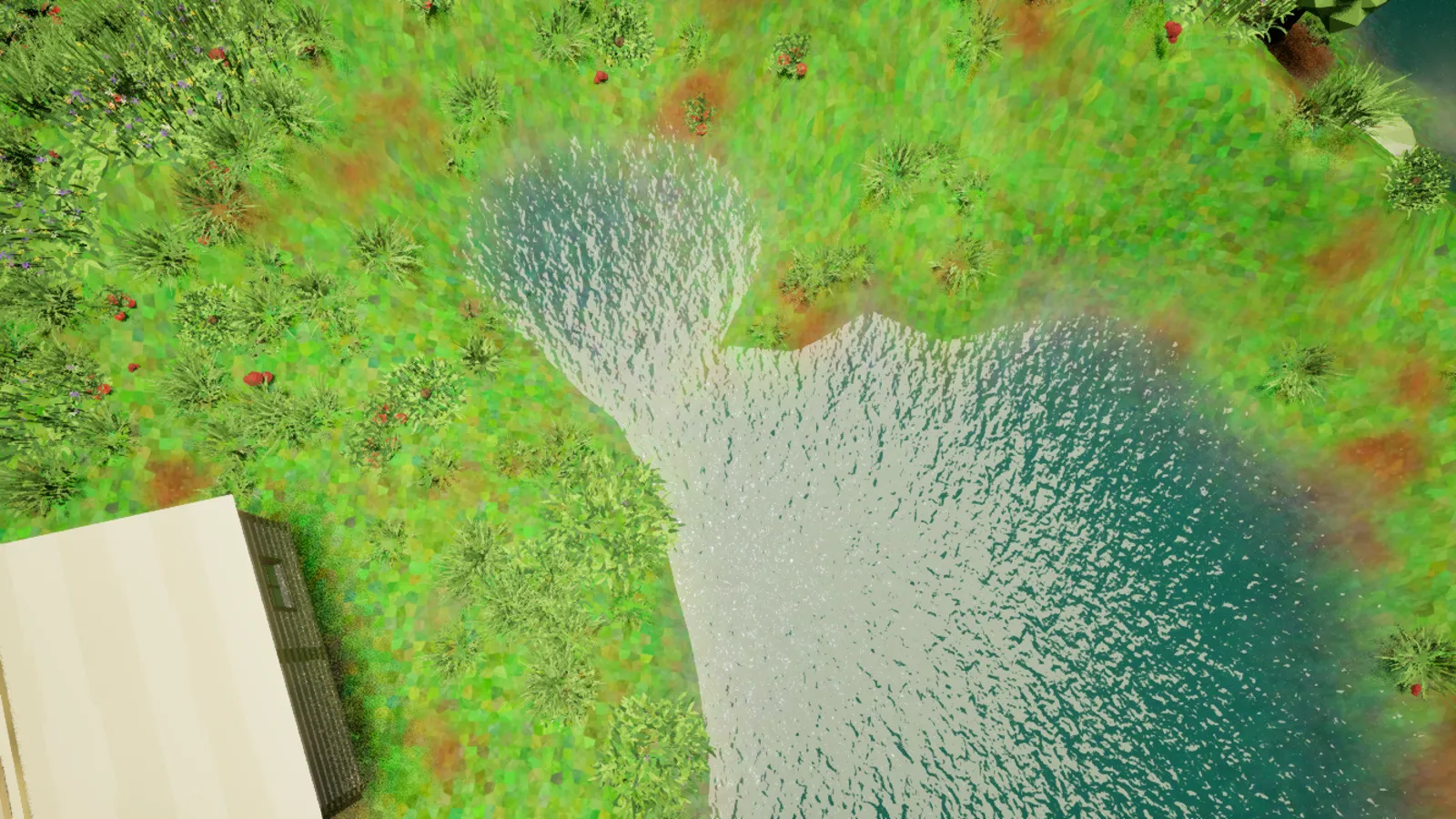
The TP_Dyson template project after generation (November 13, 2026).
11Layers
Layers, in the order you choose.
Trees and grass form a linked block: the grass grows around the trees.
Rocks, bushes and free elements (houses, animals, villagers, campfires) are separate layers, each with its own slope rules.
Each layer avoids what is already placed. Next step: choosing the order of the layers, which changes the landscape.
LayersWorkingChoice of orderBeing designed
Order A
- 1Trees + grass
- 2Free elements
- 3Rocks
- 4Bushes
The forest first. The village finds its place in the clearings.
Order B
- 1Free elements
- 2Trees + grass
- 3Rocks
- 4Bushes
The village first. The forest grows around it.
- Nothing grows on a rock or a building.
- A bush or a stone may appear on the grass, here and there.
Under study: biome zones (clearing, woods, desert) on a single sphere.
12The demo
Show the world, keep the recipe.
Dyson is Tian-C Studio’s in-house technology. To show it, a playable demo will use an exported world: the planet already created, without the generator.
- Create
The planet is created in the editor with Dyson: biome, terrain, water, inhabitants.
Working - Export
The world is exported as data. It can be reloaded in any project, without the generator.
Planned - Play
A short showcase demo: harvesting, sculpting, building, inhabitants, weather, starry night.
Planned - Protect
Encrypted and signed package, no debug files shipped, watermark, and a few harmless humorous messages.
Planned
How the export is meant to work
- 1Creation project, with Dyson
- 2Export of the world data
- 3Independent project, without the generator
The planet is set up and generated in the creation project. Its data is exported. Another Unreal project loads the world and uses it in the game, without ever containing the generator.
Diagram of the intended workflow: the export has yet to be built. The template project’s first packaged game has worked since November 14, 2026.
13Roadmap
Where is Dyson Framework at?
Today
Working in the TP_Dyson template project (UE 5.8)
- Complete biome by phyllotaxis: trees, grass, rocks, bushes, free elements
- Same seed, same world (reference fingerprint)
- Terrain, deep rock, sea, lakes, springs, flowing water
- Dyson editor mode: Camera, Place, Sculpt, Paint, Foliage, Water, Weather
- Complete mini game: in-game sculpting, harvesting, crafting, 42 building pieces
- Save and resume: inventory, position, buildings, time and weather
- Inhabitants: villagers, animals, small creatures, without NavMesh
- 10 weather types, day and night, 88 constellations
- 200 m planet tested; first packaged game
- Placement loops in C++, world identical bit for bit, generation 31% faster
Before the demo
Next steps
- End of the C++ conversion: ground mask, settings, planet actor
- Standalone plugin, tested in an empty project
- Tests of the water tools
- World export without the generator
- Showcase demo and package protection
- English texts, EN / FR tooltips
Then
Evolutions
- Migration to Unreal Engine 5.9
- Visible river currents
- Choice of layer order, biome zones
- Large planets: scale 3, then 5, then 10, each one measured
- Template project available in “New Project”
- Impostors for distant trees
14An old idea, a new technology
Building the worlds the 19th century dreamed of.
In 1892, William R. Bradshaw imagined Atvatabar, in his novel The Goddess of Atvatabar: an inner world lit by a central sun, with its own continents and landforms.
Today, Dyson Framework turns these worlds into a playground: inverted spheres, with their biomes, their weather, their vegetation and their autonomous inhabitants.
It is no longer an illustration: it is a world that developers can build, and that players can explore.
15The studio
Nine years of research, one single idea.
Dyson Framework was born in 2017, on Unreal Engine 4.21. It was imagined, tested and rethought by Cassiopée, founder of Tian-C Studio, a French micro-enterprise.
2017 · UE 4.21
First vegetation tests on a sphere.
UE 5.4
Trying PCG: too heavy for the sphere.
A new method
Traces cast from the sun, then phyllotaxis for the trees and grass.
Data-driven
Everything moves to Data Assets, with a panel in the editor.
March – May 2026
First views from inside the sphere; the “Projet Dyson World” board; biome in Data Assets, rain, deer and a home-made LiDAR.
October 2026 · UE 5.8
Project migration; the studio’s low poly assets.
November 2026
Terrain, water, Dyson editor mode, inhabitants, building, weather, constellations; the TP_Dyson template project and the first packaged game.
November 16 – 17, 2026
Start of the Blueprint → C++ conversion in the plugin: same calculations, identical world, proven by fingerprint.
Handmade, in Blueprint
The foliage generation is designed and written in Blueprint by Cassiopée.
Since November 16, 2026, this placement has been moving to C++ in the plugin, with exactly her calculations and the same result, verified by a fingerprint. Her formula doesn’t change.
Transparency
The ideas, the generation and the choices are Cassiopée’s. The foliage placement is designed and written by her, in Blueprint.
The code of the tools and systems was written with Claude Code (Anthropic), under her direction: Claude Fable 5.2 for the terrain, the water and the terrain-shaping tools; Claude Opus 5.5 for the rest. Every contribution is dated and tracked.
For the low poly assets and textures only: Gemini (Google) generated reference images, which GPT (OpenAI) used to create the models and textures.
The images come from the project in development. The character is an Epic test asset. The low poly foliage is created by the studio. Tian-C Studio also publishes 2048³ on Android.
Discover 2048³Follow the project
Want to see what comes next?
News, tests and videos are published on Instagram and YouTube.
Glossary
The words, plainly.
- Phyllotaxis
- The way plants arrange leaves and seeds, in spirals.
- Golden angle
- About 137.5°. The angle that avoids any alignment.
- Blueprint
- Unreal’s visual language: connected blocks, no text code.
- Data Asset
- A settings file, reusable and easy to duplicate.
- Seed
- A number that fixes randomness. Same seed, same result.
- Mesh
- A 3D model: a tree, a tuft of grass, a rock…
- Foliage
- The vegetation placed in the map: trees, grass, bushes.
- HISM
- Thousands of copies of the same mesh, drawn together. Very fast.
- Trace
- An invisible ray, cast to find the ground.
- LOD
- Simpler versions of a mesh, used from a distance.
- Impostor
- A flat image that replaces a very distant tree.
- Nanite
- Unreal 5’s system for displaying highly detailed models. Use it or not, depending on your assets.
- PCG
- The procedural generation tool built into Unreal 5.
- LiDAR
- A sensor that “sees” by casting rays around itself.
- NavMesh
- Unreal’s AI navigation map. It doesn’t work on a sphere.
- Plugin
- A code module added to Unreal. Here: the Dyson tools and systems, in C++.
- C++
- Unreal’s text programming language. Faster than Blueprint for big loops.
- Fingerprint
- A signature computed over all instances. Same fingerprint = same world, bit for bit.
- Editor mode
- A set of dedicated tools in the Unreal editor, like the Dyson mode.
- Packaged game
- The version of the game that runs without the editor, like a real game.
- World export
- The data of an already-created planet, reloaded without the generator.
- Render Target
- A texture the engine draws live. Here: to paint the ground.
Dyson Framework · Tian-C Studio
Project presentation, version 3 of November 17, 2026 (added: plugin and C++ conversion), based on version 2 of November 14 and the October 2026 presentation. The project is in development: its content may change.
Unreal Engine is a trademark of Epic Games.
Back to the studio’s projects